Preparing a phone for winter is mostly about three things: keeping it warm enough to work, keeping moisture out, and making sure you are never stuck without a charge. None of it requires new hardware, and an hour spent now saves a frustrating morning in January. Most of the work is checking what you already own and fixing the small things before the cold finds them.
- Test your case, screen protector, and charging port before the first cold snap.
- Keep a short cable and a small power bank in the bag you carry most.
- Avoid leaving the phone in a cold car or on a windowsill for long stretches.
- Let a cold phone warm up before charging, and dry it before it goes back in a pocket.
What breaks first in cold weather?
Batteries feel the cold first, because their chemistry slows and the phone reports less available power than it actually has. That is why a phone at 50 percent can shut down outdoors and then recover most of that charge once it warms up. Next are materials: hard plastic cases get brittle, adhesives on grips and mounts lose their hold, and rubber parts stiffen. Charging slows down too, since a cold battery accepts power more slowly, and a phone that has been outside all day may not charge at its usual speed until it reaches room temperature. The last thing to suffer is the screen, which can respond slowly and dim itself to protect the battery. None of this is permanent damage, but all of it is avoidable with a little preparation.

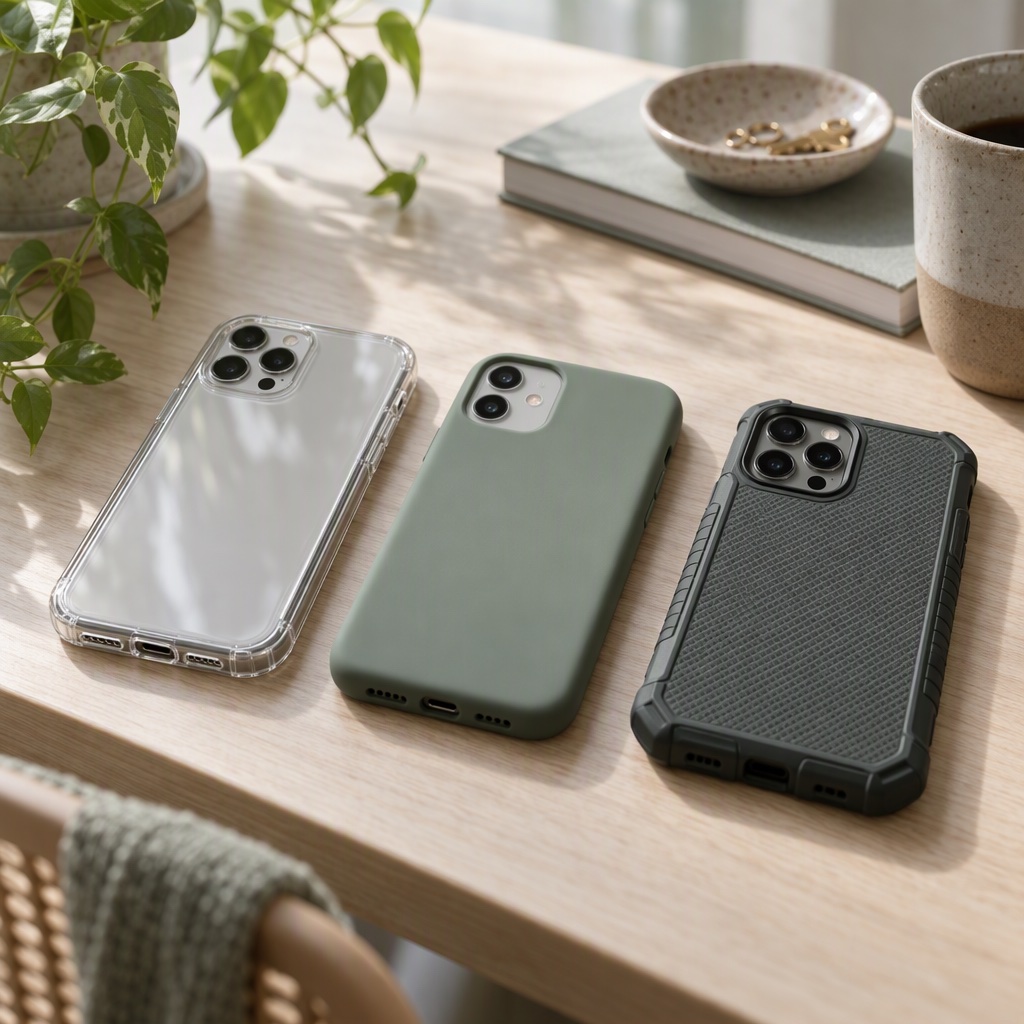
iPhone Cases — case. Designed for everyday carry and backed by our 30-day happiness guarantee.
How do you keep a phone warm without overheating it?
Warmth comes from your body, not from a heater. An inner jacket pocket or a trouser pocket is the best place for a phone in cold weather, because it stays close to your skin and stays above the temperature where the battery struggles. A bag, especially an outer pocket, is much colder and should be a last resort. Never leave the phone on a car dashboard, on a windowsill, or in a glovebox, where it will sit below freezing for hours. If it does get very cold, bring it indoors and let it warm gradually. Do not put it on a radiator, in front of a heater, or under a blanket, because a fast temperature change can cause condensation inside the phone, and heat is a bigger long-term threat to a battery than cold.
What charging changes should you make for winter?
Expect slower charging and plan around it. A cold phone may not accept a fast charge until it has warmed up, so plugging in immediately after coming indoors is often less effective than waiting a few minutes. Charge on a hard, open surface rather than under a pillow or a blanket, since heat cannot escape and the battery suffers. If you use wireless charging, check that the phone sits centered, because a thick case plus a cold phone is a common reason for slow charging. Keep a short cable and a power bank in the bag you use most, since winter days are shorter and you are more likely to be away from an outlet when the battery gets low. It also helps to review the habits in our guide to making a phone battery last longer.
How do you keep moisture out of your phone?
Moisture is the bigger winter risk than cold, because snow, sleet, and condensation all get into places water should not be. Moving between a warm room and cold air causes condensation on surfaces, so let the phone reach room temperature before you charge it or take the case off. Dry the phone and the case separately whenever they get wet, and never charge a wet port. A snug case keeps grit and damp off the phone, but a loose one traps them, so check the fit. Keep the phone in an inner pocket and use a pouch in your bag. If the phone has been out in the snow, treat it like a wet phone: power it off, blot it dry, and let it air out for hours. Our guide to autumn phone care covers this in more detail.
What should be in a winter bag kit?
Keep it small, because a kit you do not carry is useless. A short charging cable, a compact power bank, and a microfiber cloth cover most winter problems. The cable handles an unexpected outlet, the power bank handles a long day, and the cloth handles a fogged lens or a wet screen. Add a spare screen protector if you are clumsy in gloves, and a small pouch to keep everything together. If you use earbuds, wired ones avoid the battery drain that wireless earbuds suffer in the cold. Check the kit once at the start of winter and replace anything that has worn out. A kit that lives in the bag you carry most days is worth more than a bigger one that stays at home.
When is a phone too cold to use?
There is no single temperature that applies to every phone, but the pattern is consistent: the colder the phone gets, the more likely it is to behave strangely. You may see the battery drop suddenly, the screen respond slowly, the camera refuse to focus, or the phone shut down while still showing charge. Those are signs to stop using it outdoors and let it warm up indoors. Do not try to force it back on while it is still cold, and do not charge it until it has warmed. If the phone recovers fully once it is at room temperature, nothing has been damaged. If problems continue indoors, the cold may have exposed an existing battery weakness, which is worth checking before the coldest weeks arrive.
Frequently asked questions
- Can cold weather permanently damage my phone? Usually not. Cold slows the battery and can make the screen sluggish, but these effects reverse once the phone warms up. The bigger long-term risks are condensation from fast temperature changes and heat, not cold itself.
- Should I keep my phone in my pocket or my bag in winter? An inner pocket is better, because your body heat keeps the phone above the temperature where the battery struggles. An outer bag pocket is much colder and can leave the phone below freezing for hours.
- Why does my phone charge slowly in winter? Cold batteries accept power more slowly, so a phone that has been outside may not fast-charge until it warms to room temperature. Let it sit indoors for a few minutes before plugging it in.
- Is it safe to use my phone in the snow? Brief exposure is usually fine if the phone is water-resistant, but snow melts into water and ratings fade with age. Keep it covered, dry it afterward, and never charge a wet phone.
- Does a case keep my phone warm? Only slightly. A case slows heat loss a little, but it will not keep a phone running normally in serious cold. The real fix is carrying the phone close to your body.