
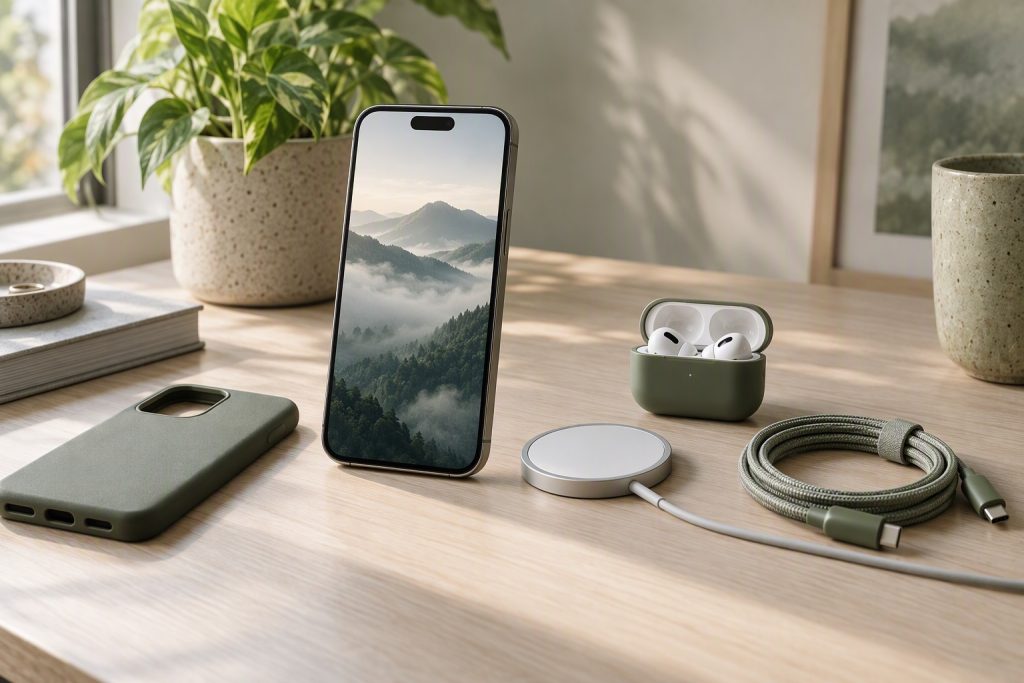
A desk gets messy one cable at a time. The phone is usually the biggest offender, because it arrives with a charger, a cable, earbuds, and a habit of sitting right where you need to write. The fix is not more storage. It is fewer, better-placed accessories, so the phone has one obvious home and everything else has a place to go.
- Give the phone one fixed spot on the desk, ideally on a stand at eye level.
- Route charging through a single cable or a single pad, not both at once.
- Keep a short cable for the desk and a long one for the bed or sofa.
- A small tray or drawer for spare cables prevents the tangle before it starts.
Why does a phone create so much desk clutter?
A phone on a desk is never just a phone. It brings a charging cable, a wall plug, earbuds, a watch, maybe a second device, and a habit of being moved around as you work. Each item is small, which is exactly why clutter builds quietly. The phone also competes for the same space your hands need, so it gets pushed to one side, then back, then somewhere else, and the cable follows it. Add a charger that lives on the floor and a cable that snakes across the desk, and you have the classic tangle. The root cause is not too many things; it is that none of them has a defined place. Give each item a home and the mess stops returning.
Mounts & Stands — holder. Designed for everyday carry and backed by our 30-day happiness guarantee.
Is a stand better than a flat charger?
They solve different problems, and the best answer is often one of each in different places. A stand lifts the phone to eye level, which is better for reading notifications, following a recipe, or taking a video call, and it keeps the phone out of the way of your hands. A flat charging pad is easier to drop the phone onto and works well at the edge of a desk, where a stand would be in the way. If you only choose one, pick based on what you do most. For a work desk, a stand earns its space. For a nightstand, a flat pad is usually more convenient. What matters is that the phone has one designated spot rather than several improvised ones. A stand with a weighted base stays put when you tap the screen, which a lightweight one does not.
How do you manage cables without hiding them?
Cable clutter comes from length and number. Use a short cable at the desk, since a long one simply loops and tangles, and keep the long cable for the sofa or the bed where you actually need the reach. One cable per charger is enough, so retire the spares into a drawer rather than leaving them plugged in. A clip or a small adhesive guide on the edge of the desk holds the cable where you can find it and stops it sliding to the floor. If you use a wireless charger, the cable disappears almost entirely, which is a large part of the appeal. Label the ends of any cable you keep, because unmarked cables of the same color are the reason you own five of them.
What about earbuds, watches, and other devices?
The phone is rarely alone, so plan for its companions. A small tray or a shallow dish catches earbuds, a watch, keys, and anything else that would otherwise drift across the desk. If you charge a watch or earbuds, choose a single charging spot where all of them live, so you have one cable and one routine rather than three. Stacked or multi-device chargers reduce the number of plugs and cables, which is usually the biggest single improvement you can make. Keep anything you do not use daily in a drawer, out of sight and out of the way. The goal is not an empty desk. It is a desk where everything has a home, and where putting something down takes less effort than leaving it out.
How do you keep the setup tidy over time?
Tidiness is a habit, not a one-time project. Set a rule that the phone goes on its stand whenever it is not in your hand, and follow it for a week until it sticks. Clear the desk surface once a week, returning anything that has wandered back to its drawer. Check the cables for fraying at the same time, since a damaged cable is both a safety issue and a reason to replace it before it fails. If a new accessory arrives, decide where it lives before you plug it in, rather than letting it join the pile. Finally, keep the number of items on the desk small on purpose. A setup with four things you use daily will stay tidy far longer than one with twelve you use occasionally.
What should you avoid on a desk?
Avoid anything that adds a cable without removing one. A second charger for a device you charge once a week is not worth the permanent clutter it creates. Skip cheap stands that wobble when you tap the screen, because you will stop using them and they will become clutter themselves. Avoid charging the phone under papers or a notebook, which traps heat, and avoid a wireless charger placed where the phone will not sit centered, since misalignment makes charging slow and unreliable. Also skip the urge to buy organizers before you have removed the things you do not need. Decluttering first always beats buying storage. If you want to go further, our guide to desk phone stands covers what to look for, and a tidy physical desk pairs well with organizing your phone’s home screen.
Frequently asked questions
- Do I really need a phone stand on my desk? If you read notifications, take calls, or follow instructions on the screen while working, yes. A stand raises the phone to a comfortable angle and keeps it out of the way of your hands and your keyboard.
- Is wireless charging tidier than a cable? Usually, because the cable stays behind the pad and never crosses the desk. The trade-off is that the phone must be placed accurately, so a pad with a clear center or a magnetic alignment is easier to live with.
- How many cables should be on my desk? One per charger, and no more. Keep a short cable at the desk and a long one where you need the reach, and store the spares in a drawer so they are available without being visible.
- What is the best way to store spare cables? A small drawer, a shallow tray, or a labeled pouch works well. Coil each cable loosely and fasten it with a tie, and keep them separate so you can see what you have at a glance.
- How do I stop the desk getting messy again? Give every item one home and return it there at the end of the day. A weekly two-minute reset, plus a rule that new accessories get a place before they get plugged in, keeps the setup tidy.


