
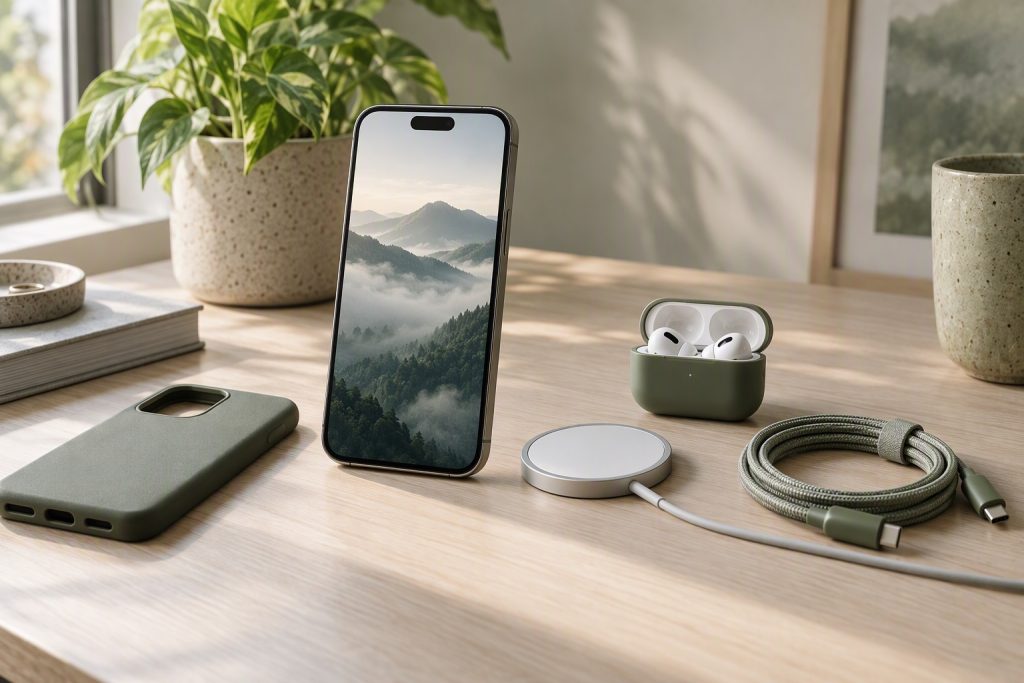
A good desk phone stand does three things: it holds the phone at a comfortable angle, it keeps the screen steady while you tap it, and it stops the phone sliding around your desk. Beyond that, the differences come down to stability, adjustability and how the stand handles charging. Choosing well is mostly about matching the stand to the way you actually use your phone while you work.
- Stability matters most, because a stand that tips is worse than none.
- Pick an angle that keeps the screen upright without you leaning over.
- Adjustable stands suit more situations than fixed ones.
- Check that a cable can reach the charging port while the phone sits in the stand.
What makes a desk phone stand stable?
Weight, base size and grip matter far more than looks. A stand with a broad, heavy base resists tipping when you tap the screen, while a light, narrow one can skate across a smooth desk. Rubber or silicone pads under the base and where the phone rests do most of the work, holding both the stand and the phone in place. The joint or hinge matters too: a stiff hinge keeps its angle, while a loose one slowly sags under the phone’s weight. If you tap the screen often, prioritize stability over compactness. A stand that shifts every time you touch it will not last long on your desk. If you are building out a workspace, our guide to desk accessories that cut clutter covers where a stand fits in. Test it by tapping firmly near the top of the phone before you settle on a spot.
Mounts & Stands — holder. Designed for everyday carry and backed by our 30-day happiness guarantee.
What viewing angle should you look for?
The best angle lets you read the screen without bending your neck or leaning forward. For most desks, that means tilting the phone back slightly rather than laying it flat, so the screen faces your eyes. Sitting the phone higher reduces how far you have to look down, which matters if you glance at it often. If you use the phone for video calls, the camera should point roughly at your face, which usually means a stand that holds the phone near eye level. Try a couple of angles before settling, since the right one depends on your chair and your screen height. A stand that offers only one angle may leave you improvising with books. Adjustable stands solve that by letting you find the angle that fits.
Should you choose a fixed stand or an adjustable one?
A fixed stand is simpler, sturdier and usually cheaper, and it works well if your setup never changes. An adjustable stand costs a little more but lets you switch between reading, typing and video calls without buying anything new. Adjustability is especially useful if you share a desk or use the phone for several different jobs. The trade-off is that more joints can mean more wobble over time, so look for a hinge that feels firm rather than loose. If you know exactly how you will use the phone, a fixed stand is the cleaner choice. If you are unsure, adjustable gives you room to change your mind later. Either way, favor a stand that holds its setting once you choose it.
Does a stand help with charging?
Yes, if you plan for it. A stand that leaves the charging port accessible lets you power the phone while it sits upright, which suits a desk where you keep it topped up all day. Some stands are built around a wireless charging pad, so the phone charges simply by resting in place. Check the cutout or gap where the cable runs, because a tight opening can bend the connector over time. If you use a thick case, make sure the stand still fits the phone with the case on. Charging while standing is convenient, but only if the cable sits comfortably. A stand that fights the cable will eventually damage it.
How much space will a stand take up?
Less than you might fear, but it does occupy a spot you will notice. A small stand for a single phone can sit beside a keyboard without crowding anything, while a larger one with a heavy base needs more clearance. Think about where the phone will live and what it might block: a monitor edge, a mug, a notebook, or the path of your mouse. Height matters as much as width, since a tall stand can obscure part of the screen behind it. Measuring the space once prevents a stand that looks tidy in photos from feeling cramped in practice. If your desk is small, a folding stand you can put away is worth considering. The same rules about stability apply when you hold a phone in a car, which our guide to choosing a car mount explains.
What materials and finishes hold up best?
Metal stands feel solid and resist tipping, and they tend to hold their finish well, though they can be heavier and pricier. Plastic stands are lighter and cheaper, and the good ones use enough thickness to stay rigid rather than flexing. Look for soft padding wherever the phone touches the stand, because bare metal or hard plastic can scuff a case or a bare phone over time. Check the edges for sharp corners that might catch a cable or your hand. A matte finish hides fingerprints better than a glossy one. The best stand is the one that still looks and behaves the same after a year of daily use. Whatever the material, clean the pads occasionally, since dust reduces grip.
Frequently asked questions
- Is a phone stand worth it if I already have a case? Yes. A case protects the phone, but it does nothing for the angle or stability of the screen. A stand and a case solve completely different problems, and most desks benefit from having both.
- Will a stand work with a thick case? It depends on the cradle. A stand with a deep lip or a wide gap usually accommodates a bulky case, while a slim, tight-fitting stand may not. Check the opening before you buy.
- Can I use a stand for video calls? Yes, and it helps a great deal. A stand holds the phone steady at a flattering height instead of propped against books, so the camera points at your face rather than your chin.
- Do I need a wireless charging stand? Only if you already charge wirelessly. A plain stand with a cable cutout is cheaper and does the same job for the angle, so choose based on how you prefer to charge each day.
- How do I stop a stand sliding on my desk? Wipe the base and the desk first, since dust reduces grip. If it still moves, a small silicone pad under the base usually solves it without any other change to your setup.


