
A student desk holder has to earn its space. The desk is small, shared with a laptop and books, and used for several things at once, so a holder that takes up room without doing a job is a burden. The ones that work hold the phone at a usable angle, free up the surface underneath, and are quick to move when you clear the desk. A holder should also survive being packed up at the end of term. Stability, a sensible angle, and a small footprint matter far more than any extra feature.
- Prioritize a small footprint — a student desk has little room to spare.
- Choose an angle that adjusts from flat for reading to steep for video calls.
- Look for a stable base that will not tip when you tap the screen.
- Pick something that folds or packs flat, since desks get cleared and terms end.
What does a student desk holder need to do?
A student desk holder needs to hold the phone at a comfortable angle, stay stable when you touch the screen, and free up space rather than take it. In practice that means it should raise the phone off the desk so you can read or follow along without holding it, and it should keep the charging port accessible so you can charge while you study. It should also be quick to set up and put away, because a student desk changes purpose several times a day. Any feature beyond those is optional. A holder that props the phone up and gets out of the way is worth more than one with a dozen adjustments you will never use. A holder that clamps to the desk edge frees the surface for books, which matters more in a small room than it sounds.
Mounts & Stands — holder. Designed for everyday carry and backed by our 30-day happiness guarantee.
How much desk space will it take up?
Less is better, and the best way to save space is to go vertical. A holder that stands the phone upright takes a footprint roughly the size of the phone and leaves the desk underneath free for a notebook or a mouse. A holder that lays the phone flat or spreads a wide base takes far more room for the same job. Before buying, measure the gap between your laptop and the edge of the desk, since that is often the only clear space. Check the height too: a holder that lifts the phone above your natural eyeline is as tiring as one that sits too low. A compact holder with a narrow base fits into small gaps and moves easily when you need the space back. Pick one with a ball joint, because being able to angle the phone toward you is what makes it usable for video calls.
What angle and height work best for study?
The right angle depends on what you are doing. For reading notes or following a recipe, a fairly flat angle is comfortable, because the phone sits below your gaze and you look down at it. For video calls or watching a lecture, a steeper angle brings the screen closer to eye level and reduces neck strain. The best holders adjust across that range, so one device covers both. The height should put the screen roughly level with your eyes when you sit upright, which usually means a modest lift rather than a tall stand. If the angle droops under the weight of a large phone, the joint is too weak and you will spend the term propping it back up. A weighted base is steadier than a clamp if the desk is thin or the edge is rounded.
When is a tripod stand more useful than a fixed stand?
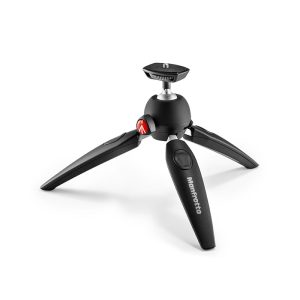
A tripod stand earns its place when you need the phone higher, further away, or at an unusual angle. That covers filming coursework, photographing a whiteboard, or propping the phone up to record yourself presenting. Because the legs adjust independently, a tripod can sit on an uneven surface or reach over a pile of books, which a fixed stand cannot. The trade-off is that a tripod usually takes more room and takes longer to set up. For everyday desk use, a simple fixed holder is quicker. For students who film or photograph regularly, a small tripod stand is the more flexible choice. Many people keep both, using the tripod only when the fixed holder cannot do the job. Check the clamp opens wide enough for the desk, since many cheap ones only fit a thin panel.
Mounts & Stands — holder. Designed for everyday carry and backed by our 30-day happiness guarantee.
Should the holder charge the phone?
A holder that charges the phone removes one cable from a crowded desk, which is a real benefit on a small surface. If you charge wirelessly, a holder that doubles as a charging pad keeps the phone topped up while it stands, and there is no cable to plug in each time. If your holder does not charge, choose one with a slot or gap so the charging cable can pass through without pulling the phone off. Either way, check that the charging port stays reachable when the phone is mounted, because a holder that blocks the port forces you to remove the phone to charge it. Convenience on a small desk is about removing steps, not adding features. A plain holder in a neutral colour draws less attention than a novelty one, which helps in a shared study space.
What should you avoid on a student desk?
Avoid anything that is bigger than it needs to be, because desk space is the scarcest resource you have. Avoid holders with heavy or wide bases that take up half the surface, and holders that need assembling every time you move them. Avoid a weak joint that droops under a large phone, and sharp edges that catch on a bag if you carry the holder with you. Avoid a holder that only works at one angle, since the angle for a video call is wrong for reading. And avoid anything that blocks a socket or a drawer you need. The best student holder is the one you forget about because it simply works. For more options, see phone stands for your desk: what to look for and desk setup: phone accessories that cut clutter.
Frequently asked questions
- Is a folding holder better for a student desk? Usually yes. It packs flat at the end of term and stows in a drawer, which suits a desk that changes purpose.
- How tall should a desk holder be? Tall enough to bring the screen near eye level when you sit, but not so tall that it becomes top-heavy and tips.
- Do I need a tripod or a fixed stand? A fixed stand for daily use, and a small tripod if you film or photograph coursework regularly. Many students use both.
- Should the holder charge the phone? It is convenient if it does, since it removes a cable. If not, choose one with a gap so the cable can pass through.
- What is the biggest mistake when buying one? Buying one that is too large. On a student desk, footprint matters more than the number of adjustments.


