
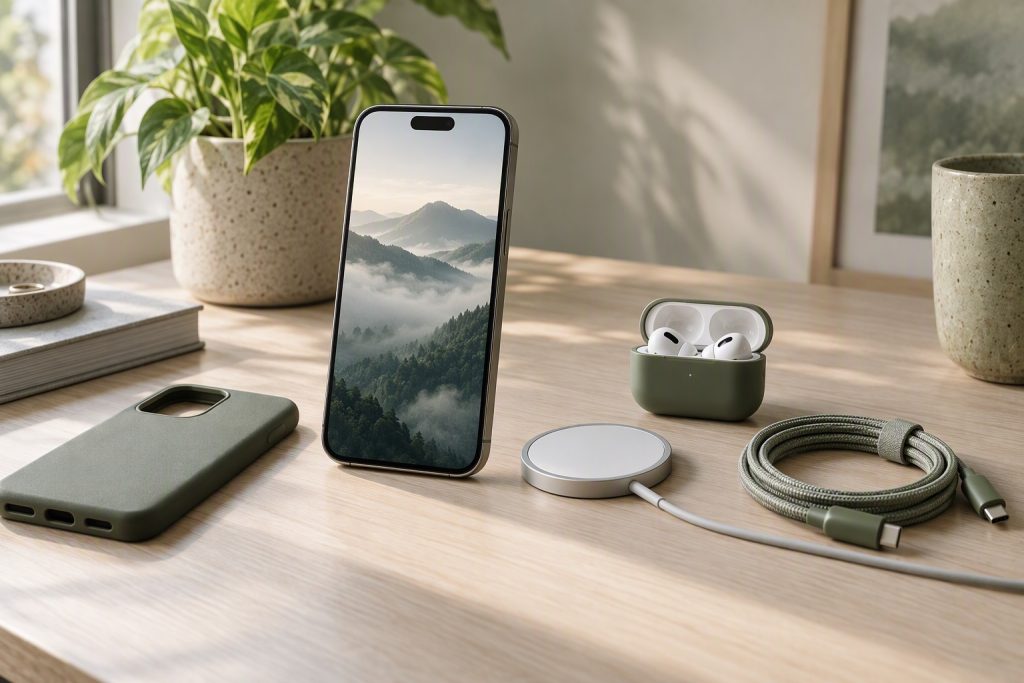
In a small flat, a phone stand has to earn its space, which means a low profile, a small footprint, and the ability to fold flat or sit out of the way when it is not in use. Decide the stand’s main job before you buy — video calls, recipe viewing, or bedside charging — because a stand designed for one job is usually mediocre at the others. One well-chosen stand beats three that clutter the surfaces you already have.
- Look for a small footprint and a stand that folds flat or sits low.
- Match the stand to its main job: video calls, cooking, or bedside charging.
- A weighted base is safer than sticky pads on wooden or veneered furniture.
- Check the cradle fits your phone with the case still on.
Where should the stand go?
Give each stand one job and one home, and pick the location before the design. In a small flat that usually means three candidate spots: the bedside, the kitchen counter or shelf, and the desk or coffee table. A bedside stand wants a low, wide profile that is easy to hit in the dark. A kitchen stand wants a small footprint away from the sink and the splatter zone. A desk stand wants height and a stable base for video calls. If you can only justify one stand to begin with, put it where you spend the most time on your phone — for most people that is the desk or the sofa, not the bedroom. A stand that lives in a drawer is a stand you stopped using weeks ago.
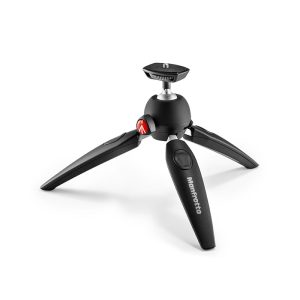
Mounts & Stands — holder. Designed for everyday carry and backed by our 30-day happiness guarantee.
What features matter most in a small space?
Folding is the first one, because a stand that disappears beats a stand you trip over. After that, look at the angle range — a stand that goes nearly upright for calls and nearly flat for wireless charging covers both jobs — and a cable channel or notch so the charging cable exits tidily instead of dragging the phone off the stand. Weight matters too: a base with some heft resists nudges, while featherweight stands tip when you tap the screen. Skip features you will not use, like built-in speakers or ring lights, unless they replace something else you already own. Our guide to phone stands for your desk goes deeper on the details.
Should I buy one stand or several small ones?
One, at least to start. The failure mode in small flats is not a shortage of stands but a surplus of them: one at the desk, one in the kitchen, one by the bed, and a fourth in a drawer that never found a home. Buy the stand that covers the most time on your phone, live with it for a month, and only add a second if there is a genuine gap. When you do add one, make it the opposite of the first: if the main stand is a tall desk model, the second should be something tiny and foldable for travel or the kitchen. Two stands that do different jobs is a system; five that all do the same job is clutter.
How do I stop it sliding on smooth furniture?
Weight beats stickiness. A stand with a heavy base and decent rubber feet stays put on glass, veneer, and polished wood, while adhesive pads are a poor trade in a rented flat because they leave residue and eventually fail anyway, usually taking a finish with them. If a stand does slide, the cheapest fix is moving it to a surface with a bit of texture — a mat, a wooden board, or a desk pad — rather than gluing anything. Check the feet periodically, because small rubber pads pick up grit and then act like sandpaper on a polished table.

Mounts & Stands — holder. Designed for everyday carry and backed by our 30-day happiness guarantee.
Can one stand cover charging and video calls?
Usually yes, if the angle range is wide enough. Video calls want the screen upright and near eye level; wireless charging wants the phone lying flat-ish so the coil lines up with the pad. A stand that folds from flat to upright covers both positions with the same device, which is exactly the kind of versatility a small flat needs. If you mostly charge overnight, the stand can stay flat on the nightstand and double as an alarm clock rest. If you mostly take video calls, prioritise height and stability over portability, and accept that you will carry it to the kitchen when you cook instead.
What about the bedroom in a small room?
Bedside stands in small rooms need a low profile so they do not dominate the nightstand, and a wide base so a sleepy knock does not send the phone to the floor. If the nightstand is genuinely too small — or there is not one — a wall shelf beside the bed or a stand on the floor next to the mattress does the same job without occupying a surface. Either way, keep the charging spot away from the edge, for reasons covered in detail in our bed-drop advice. The wider goal is a room where the phone has a home, which is most of what our guide to desk accessories that cut clutter is about.
Frequently asked questions
- Are wooden or metal stands better? Material matters less than weight and feet. A light wooden stand slides exactly as much as a light metal one; what you want is enough mass to resist a tap and rubber feet that grip without picking up grit. A stand that slides is worse than no stand at all.
- Can I use a stand with a thick case? Check the cradle depth and width before buying. Most adjustable cradles accept cases up to a few millimetres thick, but slim sleeves and some rugged bumpers will not fit. Remove the case, measure the phone at its thickest point, and compare.
- Do stands interfere with wireless charging? Only if the phone’s coil does not line up with the pad, which usually means the cradle sits too high or the phone leans back. A stand with a flat base and a centred cradle generally charges without problems. If charging is slow, lower the cradle angle first.
- Is a tripod-style stand worth it in a flat? Yes, if versatility is the priority: they fold small, adjust to any angle, and double for photos. They are slightly less stable than a weighted block on a busy desk, but on a crowded desk they fold down to the size of a marker pen.
- How do I keep cables tidy with a stand? Choose a stand with a cable channel, or route the cable behind the stand and secure the slack with a small clip or tie. The goal is that no cable is long enough to be pulled, which keeps the phone off the floor too, and a clip at the back of the desk holds the spare length neatly.


