
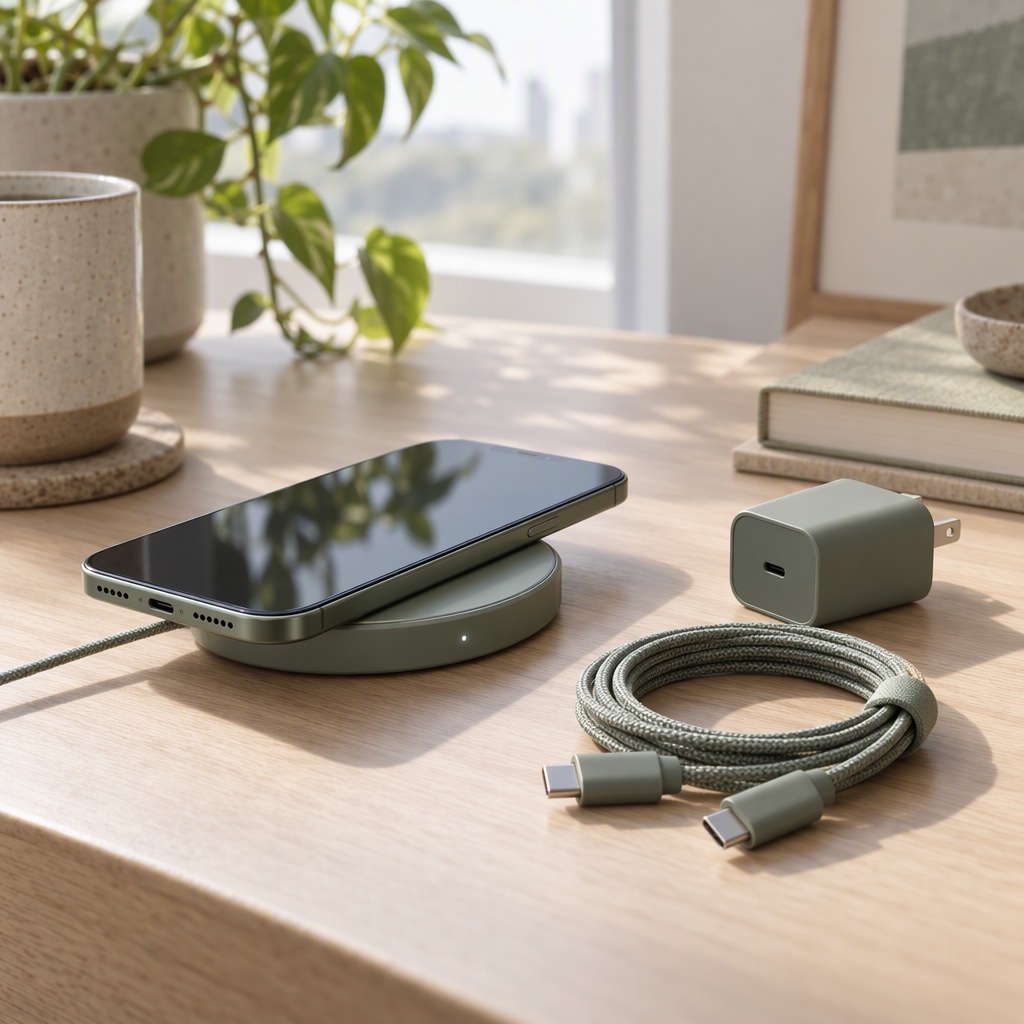
Cable labels work because they move the thinking from “which one is this?” to “that’s the charger.” A tidy cable kit is not about buying expensive organisers; it is about making every cable identifiable at a glance and giving each one a home. Once cables are labelled and stored in one place, the drawer stops filling up with mystery leads and the good cable stops disappearing.
- Colour-code or tag each cable by job rather than by device.
- Store cables coiled and bundled, never knotted around an adapter.
- Keep a small “leaving the house” kit separate from long-term backups.
- Cull anything frayed, loose-fitting or slower than the cable it replaced.
What does a tidy cable setup actually look like?
Start with a count. Most drawers hold three or four cables that do the same job, two that belong to a dead device, and one nobody can identify. A tidy setup has one cable per job, one spare at most, and a single container that holds them all. Coiled loosely, secured with a hook-and-loop tie or a silicone band, and labelled so you can pick the right one without unplugging anything to check. If you use an adapter between your phone and a laptop, that adapter travels with the cable it belongs to rather than living separately. The whole point is that the decision of which cable to grab takes no thought at all, and putting it back is equally automatic. Everything else — boxes, drawer inserts, fancy orgiser trays — only helps if you already have the habit.

Cables & Adapters — cable. Designed for everyday carry and backed by our 30-day happiness guarantee.
How do you tell same-looking cables apart?
Black-on-black cables are the core problem, because a charging cable, a data cable and a display adapter all look identical until you plug them in. The cheapest fix is a set of coloured cable ties or small tags, assigned once and left alone: one colour for charging, one for data transfer, one for anything that goes to a screen. A second option is a wrap-around label applied near each connector, where you can see it without uncoiling the cable. Marking the connector end rather than the middle matters, because that is the part you handle and the part that is easy to confuse. If you have several phones in the house, a small dot of nail varnish near the plug is an old but effective trick for telling chargers apart at a glance. Whichever you choose, the label has to survive being pulled out of a bag dozens of times.
What labelling methods actually survive daily life?
Paper tags fail within a week, because they tear at the eyelet and go soft in a pocket. Silicone or plastic cable tags with a hook-and-loop strap are the most durable and can be re-labelled if your kit changes. Writable cable wraps that close around the lead itself are nearly as good and add almost no bulk. Engraved or moulded tags are overkill for most households. If you would rather not buy anything, a short length of coloured electrical tape wrapped twice around the connector works nearly as well as a tag and costs pennies. Whichever method you pick, keep the position consistent — always within an inch of the plug — so your hands learn where to look. Labels near both ends of a long cable make sense if the cable is long enough to double over in a bag. Our guide to picking the right cable explains why you may need fewer cables than you think.
How do you organise cables at a desk?
Give every cable a defined path and a defined resting place, because a cable with nowhere to live ends up on the floor. Route leads along the back edge of the desk or through a cable tray, and clip them in place so they cannot slide behind the unit. Under the desk, a simple hook-and-loop strap or a mesh sleeve keeps the bundle tidy and lets you pull one cable out without disturbing the rest. Anything you unplug daily — headphones, a phone lead — should be within arm’s reach of the socket rather than stretched across the desk. A small pot or tray for adapters keeps them from wandering, and it means the adapter you need is always in the same place. If you charge your phone on the desk, a stand with a charging channel turns two items into one and removes a lead from the floor entirely. Desk accessories that cut clutter covers the wider setup.
Cables & Adapters — cable. Designed for everyday carry and backed by our 30-day happiness guarantee.
What should you throw away during a cull?
Be ruthless. Any cable that only charges at an angle, has a frayed jacket near the connector, or needs repositioning to make contact is finished, and it is probably slowing your phone down as well. Cables for phones you no longer own, and any adapter that predates your current device, are safe to go unless you have a specific reason to keep them. Cap ends and earbud tips accumulated over the years are almost always clutter. Recyclers and electronics drop-off points take cables and small accessories, so nothing has to go into general waste. One rule that helps more than any orgiser: keep only as many backup cables as you will actually replace in the next year. Most people need one spare charging cable and nothing else, since replacements are inexpensive and arrive in a couple of weeks.
How do you keep the system tidy over time?
Putting cables back takes seconds and saves the whole job, so make the storage the easiest option rather than the tidy one. A single box that lives where you charge things beats a neat drawer you have to open, kneel down and search. When you buy a new cable, label it and add it to the box before you use it for the first time, and take the old one out at the same time so the total stays flat. Do a five-minute cull whenever you buy a new phone, since that is the moment old cables genuinely stop being useful. If you travel, keep a small separate kit so a full-size cable never leaves the house by accident. The test of a good system is that you can find the cable you need with one hand in the dark.
Frequently asked questions
- Do cable labels fall off in a bag? The cheap paper ones do. Silicone tags and wrap-around labels are designed to survive being pulled and coiled repeatedly, and they are worth the small extra cost if you carry cables daily.
- Is it safe to coil a charging cable tightly? Loosely is safer, especially for cables with a braided jacket or a heavier gauge. Tight coils put constant strain on the connector and eventually expose the wire at the point where the jacket meets the plug.
- Why do I need separate data and charging cables? Newer cables handle both, but older ones and short cheap leads may charge without transferring files. If you regularly move photos to a computer, keep one labelled cable for that job rather than testing each one.
- What is the cheapest way to organise cables? A shoebox and a handful of hook-and-loop ties. Colour-code with tape if you like, store loose coils rather than knots, and you have solved most of the problem without buying anything at all.
- How often should I replace a working cable? Not on a schedule, but replace one as soon as it feels warm during use, charges intermittently, or shows any damage near the connector. A failing cable can also damage a port over time.


