
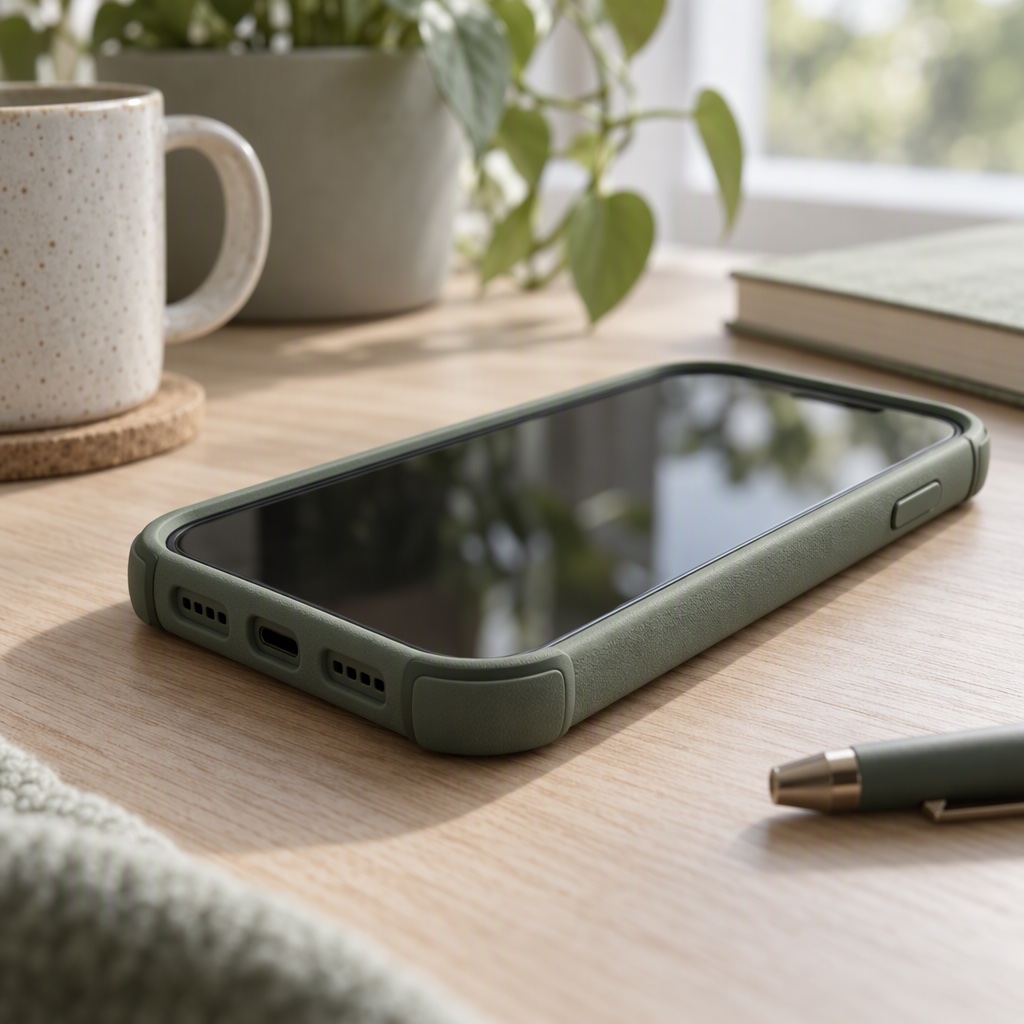
Replacing a phone case yourself is a fifteen-minute job once you know the routine: remove the old case carefully, clean the phone underneath, and fit the new one from the correct corner so it seats evenly. The phone does most of the work, and the only real risk is snapping a brittle clear case while bending it over a corner. Doing it yourself also means you get to inspect the phone properly, which most people have not done since the day they bought it.
- Take the old case off from a corner, never by prying around the whole edge at once.
- Clean the phone back and edges before fitting the new case, or you will trap grit underneath it.
- Fit the new case starting at one corner and press along the sides until every clip engages.
- Check button cut-outs, the camera rim and any magnetic alignment before you trust it.
What does replacing a case actually involve?
Strip it back and the job has four parts: clear the old case away safely, clean the bare phone, fit the new case without forcing anything, and then check that everything still lines up. Old cases come off from a corner, one side at a time, because clear plastic cases in particular become brittle with age and split if bent too far. Cleaning matters more than people expect, since the seam of an old case traps dust, pocket lint and crumbs that then sit between the phone and its new case. Fitting is mostly about order: start at one corner, seat the clips on that side, then work along the two adjacent edges. Final checks are quick but worth doing, because a misaligned magnetic ring or a badly placed camera rim will annoy you every day until you redo it.
iPhone Cases — case. Designed for everyday carry and backed by our 30-day happiness guarantee.
How do you remove an old case without damaging the phone?
Push the phone out from the inside rather than pulling the case off the outside, so the pressure goes through the case wall instead of into the seam around your device. Start at a bottom corner, press the screen-side of the case firmly, and let the phone slide out from that point. Work one corner then one side, and never try to peel the case off all the way around in one motion, because that is when plastic cracks and when a flexible case can tug at a button. If the case is stuck, warm it slightly with your hands rather than tools, since a guitar pick or a screwdriver can scratch the phone through a thin clear case. Remove any cards from a wallet-style case first, and lift off stick-on grips or rings separately rather than letting them pull paint or coating away with the case.
How do you clean the phone before the new case goes on?
This is the step that decides whether the new case looks new in a month. Wipe the back panel with a barely damp cloth to lift skin oils, then run a dry brush along every edge and corner where the old case seam collected dust. Check around the camera lens housing and any magnetic charging pad, because fine grit collects in the recess and then scratches the back every time the phone moves in the case. A soft, dry brush is enough for ports and speaker grilles; avoid anything metal. If the previous case left adhesive residue, lift it with a tiny amount of adhesive remover on a cloth, kept well away from the ports. Let the phone dry fully before fitting the new case, and check our notes on cleaning a phone without damaging it if you are unsure which liquids are safe.
How do you fit a case with buttons, a camera rim or magnets?
Line everything up before you press anything into place. Drop the phone into the case from the top corner first, making sure the camera cut-out lines up, then press the sides in sequence until you hear or feel each clip engage. Cases with separate button covers are the fiddliest: seat the case fully, then press each button cover into its hole from the outside so it sits flush. For a case with a magnetic ring or a magnetic charging alignment, check that the magnet lines up with the coil on the back of the phone; a half-engaged magnet will hold but charge slowly and fall off at the worst moment. Raised camera rims should sit just above the lens, not level with it, and a case lip that overlaps a screen protector needs enough clearance or it will slowly peel the edges. Reading up on silicone, TPU and polycarbonate compared helps if the fit problem keeps happening.
iPhone Cases in Transparent. Designed for everyday carry and backed by our 30-day happiness guarantee.
How do you move grips, cards and straps across to the new case?
Stick-on rings and grips rarely transfer well, because the adhesive is a one-time product: peel it off and it will not hold securely again, and the residue has to come off with it. The honest option is to replace the grip with a new one rather than trust a reused pad. Cards and cash move easily if the case has a pocket, but resist overfilling it, since a stuffed wallet case stops closing properly and adds a bulge that catches on pockets. Straps and lanyards need the correct thread point, so check whether your new case has a slot before you buy. If your old case carried a magnetic card holder, check that the new case is magnetic-compatible before attaching it, or the card will fall off in a bag.
What mistakes make a new case feel worse than the old one?
Most of them come from rushing the fit. Forcing a corner in without aligning the clips first warps the frame and leaves a permanent gap. Fitting over a dusty phone is the other classic: the grit rides against the back for months and dulls a matte finish surprisingly fast. Choosing a case that is too tight around a thick screen protector is a quieter problem, because it holds the phone fine but slowly peels the protector at the edges. Overlooking weight is common too, since a wallet case plus a grip plus a strap can double what you carry without noticing. Give the new case a week, clean the phone again halfway through, and decide honestly whether it suits how you actually use the phone. A case that fits well from the first attempt is worth the extra two minutes of care.
Frequently asked questions
- Can I reuse a stick-on ring or grip from my old case? It is not recommended. The adhesive is designed for one application, and a reused pad will usually let go within weeks. Peel it off, clean the residue, and fit a new one to the new case.
- My clear case went yellow. Will a new one last longer? Yellowing comes from UV exposure and skin oils reacting with the plastic. Keeping the phone out of direct sun and wiping it regularly slows it down, but eventually every clear case yellows and needs replacing.
- Why does my case feel loose after a few weeks? Silicone and TPU relax slightly as they warm to body temperature and stretch over time. A case that starts out very tight often ends up comfortable, while one that starts very loose only gets looser.
- Should I take the case off to charge the phone? Not usually, though a very thick case can stop a wireless pad from making good contact. If charging is slow, try removing the case before blaming the charger.
- How do I know if a case will fit my model before ordering? Check the model number on the listing against the exact model on your phone, not just the family name. Different years of the same phone often have slightly different camera and button positions.


