
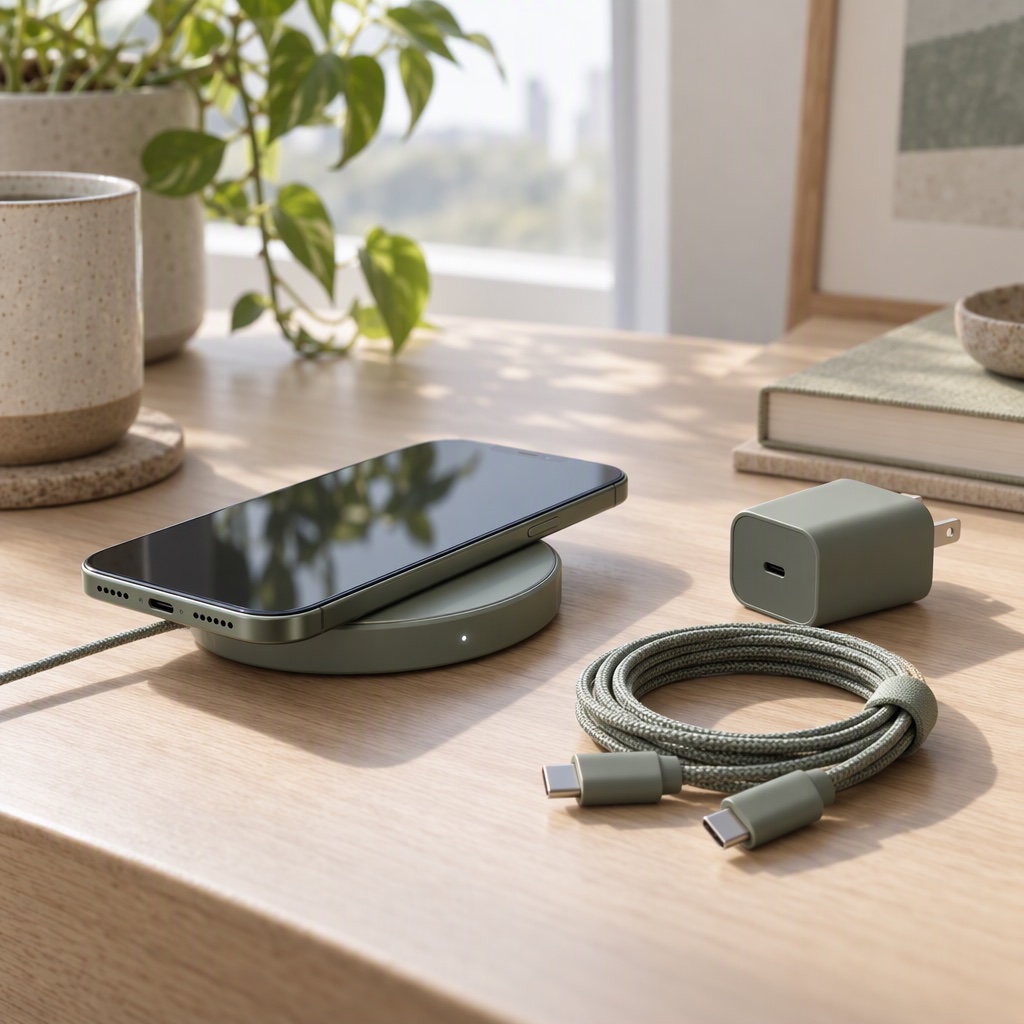
A charging cable is the accessory that fails first, and it usually tells you long before it dies completely. The signs are a cable that only charges at a certain angle, a plug that feels loose, a warm spot along the cable, or a jacket that has cracked where it meets the connector. None of them are worth living with, because a failing cable charges unreliably and can put stress on the port at the other end.
- Charging that stops when the cable is nudged is the clearest sign.
- A loose, wobbly, or discoloured plug means the cable is done.
- Any warmth along the cable or a smell of hot plastic is an immediate stop.
- Cracked or frayed jackets are not fixable with tape — replace the cable.
Why do cables fail before everything else?
Cables are the only accessory that gets bent, pulled, coiled, and crushed hundreds of times a week. The strain relief at each end takes the worst of it, and the internal wires there eventually fatigue and break, usually one strand at a time. The connector shell can also work loose from repeated insertion, and the contacts themselves wear or gather lint. Everything else on your desk has a fixed job, but a cable is asked to flex constantly, and that is what ends it. This is also why a cable that came free in a box tends to die first: it was never built for daily use in the first place. A well-made cable simply buys you much more time. A cable that only charges at a certain angle has a broken internal connection, and no amount of repositioning fixes it for long.
Cables & Adapters — cable. Designed for everyday carry and backed by our 30-day happiness guarantee.
What are the visible signs that a cable is finished?
Look at the ends first. A jacket that has pulled back from the connector, or one with a visible crack running around it, is the most common failure and it will only get worse. A connector that rattles when you shake the cable gently has internal wires broken, and one that rocks from side to side when plugged in has a loose shell. Discolouration or a shiny, hardened patch along the cable suggests it has been getting hot. A bent or splayed connector that needs force to insert is both a sign of a dying cable and a hazard to your phone’s port. Any one of these on its own is enough to justify replacing the cable rather than waiting for it to fail completely. Any visible copper or fraying at the connector is a hard stop, because exposed conductor can short against a metal casing.
What does an intermittent connection tell you?
It tells you the cable is broken, or very nearly so. If charging stops when you touch the cable, starts again when you reposition it, or only works at one particular angle, a wire inside has partially broken. That kind of break often gets worse with temperature, which is why a cable may behave perfectly on the desk and fail in a cold car. Intermittent charging also wears the port, because each reconnection can produce a tiny arc at the contacts. If wiggling the cable at the phone end fixes it but wiggling it at the charger end does not, the break is near the phone plug. Our look at why cables fray at the connector explains exactly how this happens. If the connector feels hot during a normal charge, the resistance inside the cable is too high and the energy is being wasted as heat.
Cables & Adapters — cable. Designed for everyday carry and backed by our 30-day happiness guarantee.
Can a failing cable actually damage my phone?
Yes, in two ways. The first is heat: a cable with a partial break has higher resistance at the damaged point, so it warms up there, and sustained heat near a connector is a genuine risk rather than a nuisance. The second is wear on the port: a loose connector moves slightly with every knock, and over months it can enlarge the port or damage the contacts inside it. Fixing a phone’s charging port is far more expensive than buying a cable. There is also a subtler cost, which is unreliable charging that leaves you with a phone at twenty percent at the wrong moment. Retiring a cable early is cheap insurance against all of these. A cable that has been stepped on or caught in a door has usually kinked internally, even if the outside still looks fine.
How long should a good cable last?
It depends almost entirely on how it is treated. A cable used gently at a desk, coiled loosely and never tugged, can last for years. The same cable used daily in a bag, wrapped tightly around a charger, and pulled out by the wire may last a few months. Rather than a number, watch the behaviour: the first time a cable needs repositioning to charge, it has started on its way out. A cable that is failing is also wasting your time, because you end up checking whether it is the phone, the charger, or the cable at all, and our look at the real cost of cheap cables shows how that adds up over a year. If you buy carefully and treat cables kindly, you will replace them a couple of times a year rather than constantly. Our guide to picking the right cable covers what to look for in more detail, including which ratings actually matter. Check the port on the phone as well, because a dusty or damaged port produces exactly the same symptoms as a worn cable.
What should you look for in a replacement cable?
Start with the connector type your phone actually uses, and buy the length that suits where you will use it most — short for a power bank or a desk, longer for a bedside table. Look for a cable that states its power rating clearly, because an unmarked cable is a guess. Check the strain relief in the photos: a generous, flexible section where the cable meets the plug is the clearest single indicator of a cable built to bend thousands of times. A braided jacket resists tangling and fraying better than plain plastic. Finally, buy a spare at the same time, because the second cable is the one that saves you the night the first one fails, and a poorly made spare is a false economy.
Frequently asked questions
- Can I fix a frayed cable with tape or heat-shrink? It is possible as an emergency measure, but it is not a repair. The break is already inside, the damaged section still heats up, and the fix usually fails within weeks. Treat it as a stopgap while a replacement arrives, not a solution.
- Should I retire a cable that still works? Yes, if it is showing early signs — a loose connector, a jacket that is cracking, or occasional need for repositioning. Waiting for a total failure means it will happen at the least convenient time, usually when the phone is nearly flat.
- Is a warm cable normal? A slight warmth during fast charging is normal. A hot spot in one place, or a cable that is too warm to hold comfortably, is not, and the cable should be unplugged and retired straight away.
- What is the safest way to dispose of an old cable?Cables contain copper and small electronic components, so they should go to an electronics recycling point rather than general waste. Many stores and local recycling centres accept them, often along with other small accessories.
- Can I just use the cable that came with my phone forever?You can, and many are perfectly good. But a spare of the same type is worth having, because cables are the accessory most likely to fail at the worst possible moment and a backup removes that risk entirely.


