
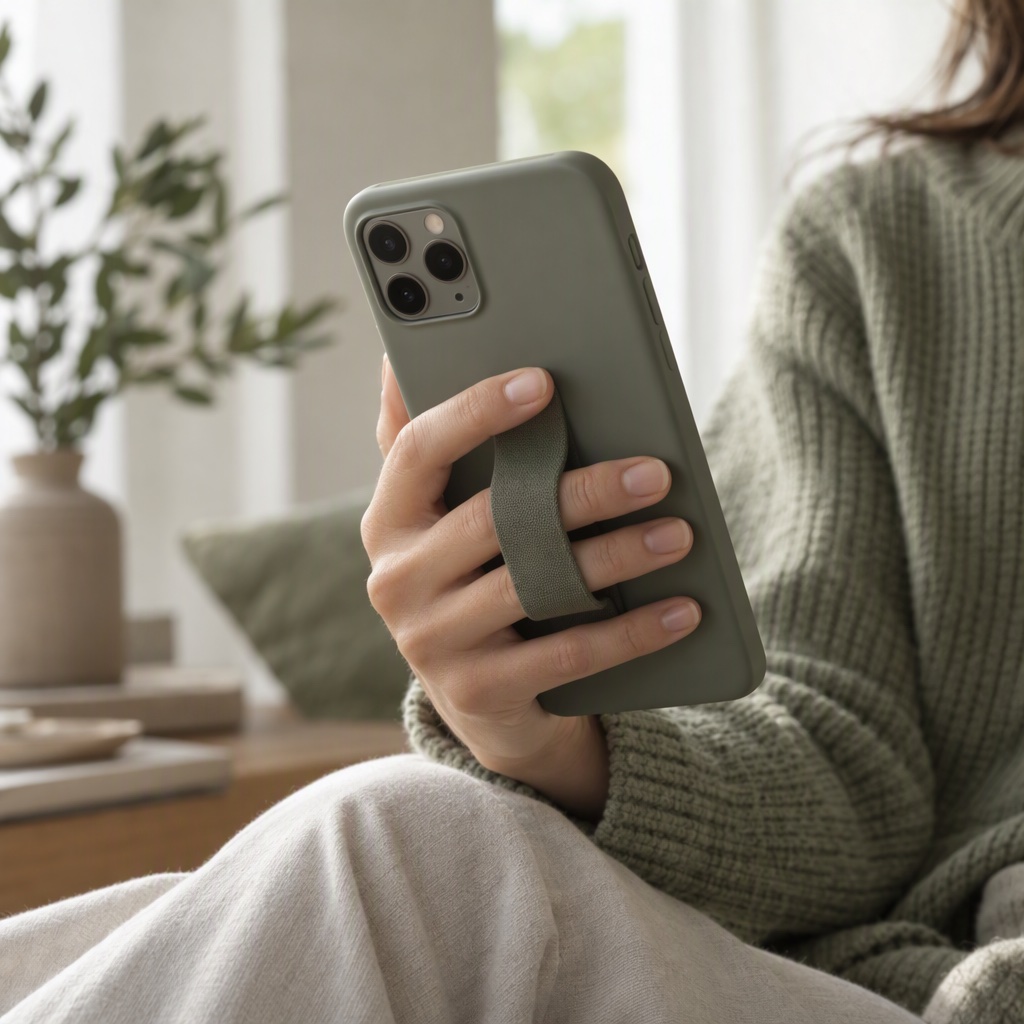
Mobile gaming accessories are a crowded market, and most of what you see is optional. A few things genuinely improve the experience, and the rest are sold on the promise of making you better at games, which no accessory can do. The useful categories are small: something that improves grip and comfort, something that sharpens control precision, and something that helps the phone stay cool during long sessions. Everything else is decoration. If you work out which of those three problems you actually have, choosing what to buy becomes simple. If you have none of them, the honest answer is that you probably do not need to buy anything at all.
- Start with grip and comfort; it makes the biggest difference.
- Trigger buttons only help if your game supports remapping.
- Cooling matters only if your phone actually slows down when warm.
- Skip anything that promises to improve your skill.
Do mobile games need accessories at all?
Not always, and it is worth saying that plainly. Many popular mobile games play perfectly well with nothing but the phone in your hands and a pair of earbuds. Accessories start to earn their place when you play for long sessions, when the controls feel cramped, or when you want more precise input than a touchscreen can give. If you play for twenty minutes on the bus, you probably need nothing at all. If you play for two hours at a desk, the picture changes quickly. The three areas where accessories genuinely help are grip and comfort, control precision and heat management. Decide which of those three problems you actually have before you buy anything, because the answers point to very different products.
Grips & Ring Holders — holder. Designed for everyday carry and backed by our 30-day happiness guarantee.
Which accessory makes the biggest difference?
Comfort is the best place to start. A grip that sits on the back of the case gives your fingers something to hold, which stops the phone slipping and takes pressure off your palms during long sessions. Many people find they can play noticeably longer simply because their hands are not cramping. A stand or mount is the next most useful item if you play at a desk, since it holds the phone at a comfortable angle and keeps your neck out of an awkward position. Earbuds matter for games where sound carries information, such as footsteps in a shooter. Beyond those, improvements get smaller and more specific to the game you play. Start with grip, then posture, then audio, and stop when the problems are solved.
Do trigger grips and shoulder buttons help?
For some games, yes, and for others they do nothing at all. Trigger attachments clip over the top edge of the phone and add physical buttons that map to on-screen controls. In shooting games, that means you can aim and fire without lifting your thumbs off the screen, which is a real advantage. In puzzle games, racing games or anything driven by taps and swipes, the extra buttons just sit there unused. Before buying, check that the game you play supports remapping the controls to the areas where the triggers sit. Some games do and some do not, and the difference decides whether the accessory is useful or purely decorative. If your main game does not support them, spend the money elsewhere, and our guide to controller clips for mobile gaming covers a related option.
Is cooling worth it for gaming?
It can be, because gaming is one of the heaviest things you can ask a phone to do. Long sessions push the processor hard, and the phone responds by slowing down to protect itself, which shows up as dropped frames and a stutter just when a match gets tense. Cooling helps by removing heat faster, so the phone can keep running at full speed. The simplest free version is to take the case off, avoid charging while you play and keep the phone out of direct sun. Clip-on cooling fans do exist, but they add weight and need power of their own. For most players the free habits are enough. If your phone still throttles, a cooler can help, and our guide to what helps when your phone overheats covers the wider picture.
Grips & Ring Holders — holder. Designed for everyday carry and backed by our 30-day happiness guarantee.
What about charging and cables while gaming?
This is where a lot of players accidentally make things worse. Charging while you play adds heat exactly when the phone is already working hardest, and the result is slower performance and a warmer device. If you must charge, use a modest charger rather than the fastest one available, and take the case off first. A right-angled cable helps too, because it keeps the connector out of the way of your hands and puts less strain on the port during a session. Wireless charging is convenient but adds its own heat, so it is not the best choice mid-game. Where you can, charge between sessions rather than during them. Your hands and your frame rate will both thank you.
What should I skip?
Skip anything that promises to transform your skill. No accessory will make you a better player, and a lot of gaming products are sold on exactly that promise. Skip heavy cooling rigs unless you have a measured overheating problem, skip elaborate multi-button add-ons unless your game supports them, and skip cheap trigger sets that fit loosely and slide during play. Skip cases that block the ports you need, and skip anything that makes the phone so bulky you stop carrying it. If you are unsure, buy one item, use it for a month and decide whether it earned its place. The best gaming setup is usually a comfortable grip, a decent cable and a phone that is not overheating. Everything else is optional.
Frequently asked questions
- Do I need a controller to play mobile games? No. Many games are designed around touch controls and play well without one. A controller helps most with games that expect a physical layout, such as ports of console titles.
- Are trigger grips worth it? They are worth it if your main game supports remapping controls to the trigger position. If it does not, they add bulk for no benefit. Check compatibility before you buy anything.
- Does a case affect gaming performance? A case can affect heat, and heat affects performance. A thick case traps warmth, and a warm phone slows itself down. Removing the case during long sessions is a free improvement.
- Should I charge while gaming? It is better not to. Charging adds heat while the phone is already working hard, which can reduce performance. Charge between sessions where you can, and take the case off if you must.
- What is the single best upgrade? A grip that improves comfort. It is inexpensive, adds almost no weight and lets you play longer without cramping. Everything else is secondary to solving that problem first.
Held in the right place, a controller clip changes the feel of a game completely, because your thumbs no longer reach past a plate of glass.


