
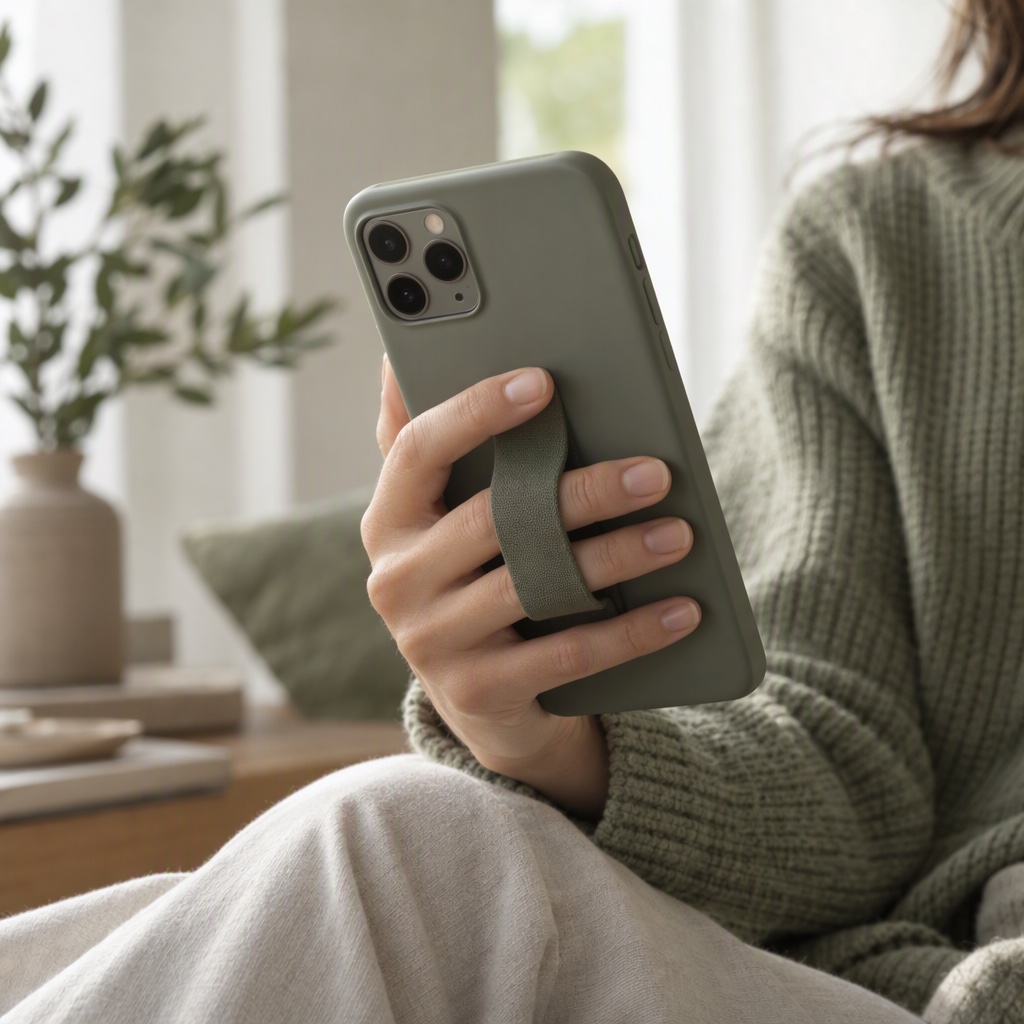
A controller clip is a small bracket that holds your phone above a wireless game controller, turning two separate devices into one comfortable handheld unit. The controller’s grips clamp into the sides of the clip, and the phone sits in a cradle at the top, tilted so you can see the screen while your hands are on the buttons. It is far more comfortable than propping a phone on a table or balancing it on your knee. Most clips are light, inexpensive and easy to carry, which is exactly why they are popular. The one thing they do not do is charge the phone, so a little battery planning still matters.
- A clip attaches your phone to a controller you already own.
- Compatibility with your specific controller is the key check.
- Measure your phone with its case on before buying.
- Balance and viewing angle matter more than fancy features.
What is a controller clip and how does it work?
The clip has two jobs: it grips the controller and it cradles the phone. Most designs use a clamp that opens to fit the controller’s body, plus a hinged arm that holds the phone at an angle above the buttons. That angle is adjustable on better models, which lets you find a position where the screen is easy to see without tilting your head down. Because the phone sits above the controller rather than between your hands, the whole unit stays balanced and your grip is unchanged from normal play. Some clips fold flat for storage, and others hold a fixed shape. They are simple devices with few moving parts, which is why they tend to last. The main limitation is that they add height and weight to whatever controller you use.
Grips & Ring Holders — holder. Designed for everyday carry and backed by our 30-day happiness guarantee.
Will a clip fit my controller and my phone?
This is the question that decides everything, and it is worth checking carefully before you buy. Clips are usually made for a particular controller shape, and one designed for a different model will often not grip properly. Check the stated compatibility rather than assuming. On the phone side, look at the maximum width and thickness the cradle supports, and measure your phone with its case on, because a rugged case can push it past the limit. Some clips accommodate a case easily, while others need the phone bare. Weight is the other factor, since a large phone on a small controller can feel noticeably top-heavy. If you can, read reviews from people using a similar combination. Five minutes of checking saves a disappointing return.
Is a clip better than a standalone mobile controller?
Both have a place, and the right answer depends on how you play. A clip lets you use a full-size controller, which many people find far more comfortable for long sessions, and you may already own one. The trade-off is that the finished unit is bulky and not something you would slip into a pocket. A standalone mobile controller that grips the phone at both ends is more compact and often better balanced, but it is a separate purchase and its buttons are usually smaller. If you play at home or carry a bag, a clip is a sensible, inexpensive option. If you want something that lives in a jacket pocket, a dedicated mobile controller usually fits better. Neither choice is wrong.
How do I keep it balanced and comfortable?
Balance matters more than people expect, because a top-heavy setup tires your wrists quickly. Push the cradle as low as the clip allows so the phone sits close to the controller rather than floating above it. Adjust the angle so you are looking at the screen with your head in a neutral position rather than tilting your chin down. Sit with your elbows supported if you can, since holding a controller out in front of you for an hour is genuinely tiring. Take a short break every so often and put the whole unit down rather than resting it against your chest. If the clip wobbles, tighten the hinge or the clamp before you carry on. A stable setup is more enjoyable and much less likely to end in a dropped phone.
Grips & Ring Holders — holder. Designed for everyday carry and backed by our 30-day happiness guarantee.
What about charging and cables?
Most clips do not charge the phone, so you need to plan around battery life. Check how much charge you have before a long session, and charge between sessions rather than during them, because a warm phone sitting on a controller is not a good combination. If you do need to charge mid-game, a right-angled cable keeps the connector out of the way of your hands and reduces strain on the port. Wireless charging is not practical while the phone sits in a cradle, since the cradle usually covers the charging area. Some clips have a small cutout that lets a cable pass through, and that is worth looking for. A little planning means you are never caught at twenty percent in the middle of a match.
What should I check before buying?
Confirm compatibility with your controller first, because that is the one thing you cannot work around. Then check the phone size range, measured with the case on if you intend to keep it on. Look for a clip with a firm, adjustable hinge and a cradle that grips without pressing on the side buttons. Check that the cradle does not cover the camera or block the ports you use. Consider weight, because a metal clip is sturdier but heavier than a plastic one. Read a few reviews about long-term durability, since the hinge is the part that tends to fail first. Our guide to phone gaming accessories that actually help puts clips in context, and our piece on grips and ring holders covers the simpler alternative.
Frequently asked questions
- Do I need to own a controller already? Yes, a clip is only a holder. You need a separate wireless controller for it to attach to. If you do not have one, a standalone mobile controller is usually the more economical route.
- Will a clip scratch my phone? A well-made clip with soft padding will not. Check that the cradle has a rubber or foam lining, and avoid models with hard plastic edges that press directly against the phone’s frame.
- Can I use a clip with a phone case on? Sometimes. It depends on the cradle’s maximum thickness. Measure your phone with the case fitted and compare it to the stated range before you buy, or plan to remove the case.
- Are clips compatible with all games? Yes, because the clip is purely mechanical. The controller still has to work with the game, which is a separate question about your controller and the app, not about the clip.
- Is a clip heavy to hold? It adds some weight and height, but a properly balanced setup is comfortable for long sessions. Push the cradle low, support your elbows and take breaks, and you will barely notice it.


