
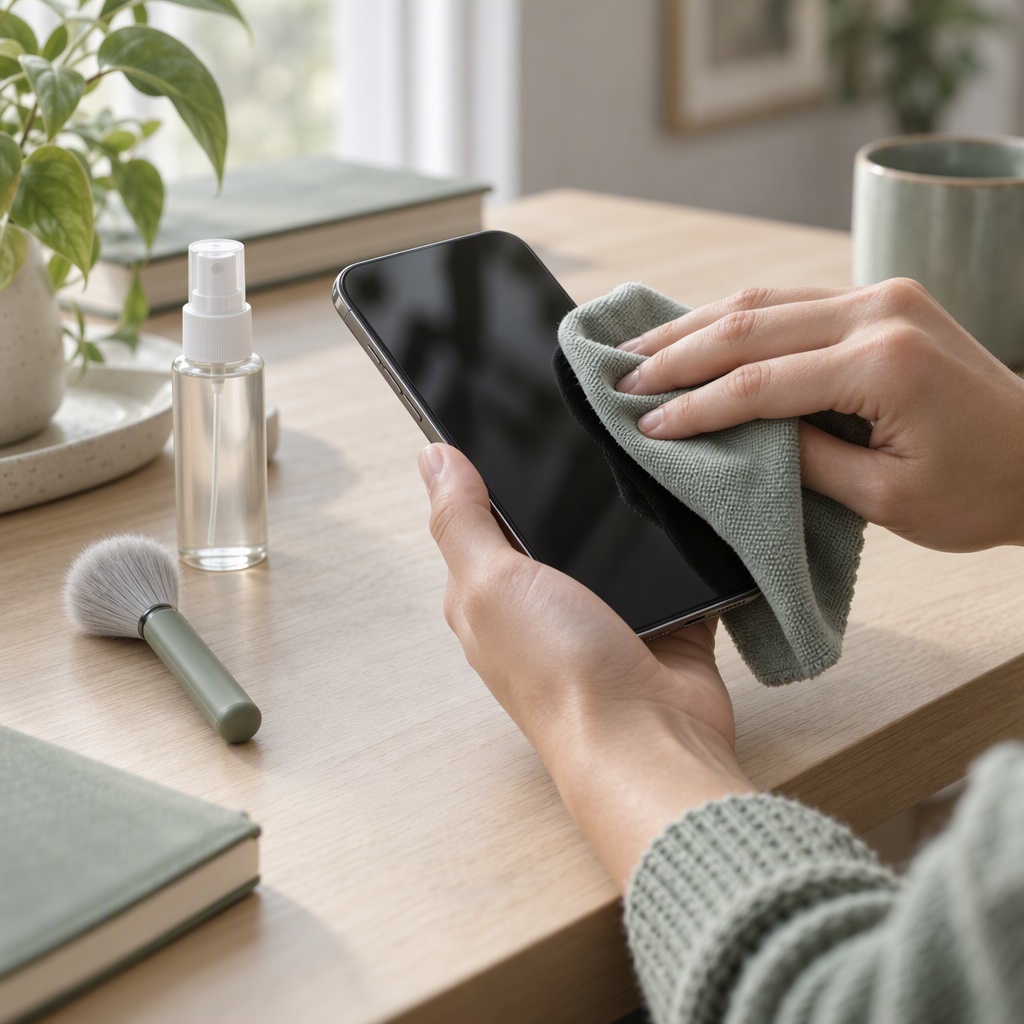
Cleaning a phone in a dusty room takes a little more care than usual, because every wipe can stir up particles that settle straight back onto the screen. The key is to reduce the dust around you first, then clean in a way that captures dust rather than spreading it. A soft cloth and a screen-safe cleaner do most of the work, and a few simple habits stop the phone from ending up as dusty as before. The process is quick, and with the right approach you can get a clean screen and clean ports even in a room where dust is always present. The trick is to work with the dust, not against it, and to accept that a little patience up front saves a lot of repeated wiping later.
- Settle the dust first so wiping does not stir it back onto the screen.
- Use a soft, lint-free cloth and screen-safe cleaner, not household sprays.
- Clean ports and speakers with dry tools, never liquids.
- Work from the screen outward and finish with a dry wipe.
Why is cleaning a phone in a dusty room harder?
In a dusty room, the air is full of particles that settle constantly, so every wipe can lift dust into the air only for it to land again. A dry cloth dragged across a dusty screen can also grind grit against the glass, which risks fine scratches over time. Ports and speaker grilles collect dust easily and are awkward to reach. The result is that cleaning in a dusty space can seem to make little difference, because the phone picks up new dust as fast as you remove it. The solution is to change the conditions before you start: let the dust settle, avoid stirring it, and use methods that trap particles instead of pushing them around. Do that, and a dusty room becomes far less of a problem.
How do you prepare a dusty room for cleaning?
Before you touch the phone, give the dust a chance to settle. Leave the room quiet for a while, and avoid actions that kick particles up, such as shaking out bedding, opening windows onto a dusty day, or running a fan. If you can, work on a clean, hard surface rather than a fabric one, since carpets and cushions hold and release dust. Wash your hands and remove rings so you do not add oils or grit. Have your cloths and cleaner ready so you are not moving around more than necessary. Even small steps like these cut down the dust you disturb, which means the phone stays cleaner for longer. If you are cleaning as part of a wider routine, our article on how to clean a phone without damaging it covers the basics that apply anywhere.
What is the best way to clean the screen?
Use a soft, lint-free cloth and a screen-safe cleaner, and work gently. Start with a dry wipe to remove loose dust, then apply a small amount of cleaner to the cloth rather than spraying the screen directly. Wipe in smooth passes rather than scrubbing, and avoid pressing hard, since pressure can push grit against the glass. If the screen is greasy, a slightly dampened section of cloth helps lift the film without soaking the phone. Finish with a dry part of the cloth to remove streaks and any remaining fibers. In a dusty room, it also helps to check the screen again a few minutes later and give it one more light wipe, since settling dust may reappear. A clean cloth dedicated to screens makes this much easier and avoids transferring dust from other surfaces.
How do you clean the ports and speakers?
Ports and speakers need dry tools only, because liquid near these openings can cause real damage. Use a soft brush or a dry cloth to loosen dust, and if you use anything to reach inside, keep it soft and non-metallic, such as a dry wooden toothpick or a plastic tool. Work gently and never force anything into a port, since the contacts inside are delicate. Turn the phone so the opening faces downward while you brush, letting dust fall out rather than in. Do not blow into the ports with your mouth, since breath carries moisture. If a port is badly clogged or charging has become unreliable, it is better to have it looked at than to dig at it. Our guide on how to clean your phone’s charging port goes through the safe approach in more detail.
How do you keep the phone clean between cleanings?
Prevention does most of the work in a dusty room. A case that covers the edges reduces how much dust reaches the seams, and a screen protector gives you a surface that is easy to wipe without worrying about the glass beneath. Wiping the screen once a day with a clean cloth keeps dust from building up. When you are not using the phone, keeping it in a pocket, pouch, or drawer rather than out on a dusty surface makes a real difference. Wash or replace your cleaning cloth regularly, since a dirty cloth just moves dust around. These small habits mean each full clean is quicker and the phone stays presentable for longer, even in a room where dust is a constant companion and there is no way to remove it entirely.
What should you avoid in a dusty room?
Avoid dry-dragging a cloth across a gritty screen, since that is how fine scratches happen. Do not use household glass or surface sprays, which can leave a residue or damage coatings. Never spray liquid directly onto the phone, and keep liquids away from ports, speakers, and buttons. Do not use compressed air at close range, as it can force dust deeper into openings, and avoid blowing on the phone. Skip abrasive materials and paper towels, which can scratch. If you clean in a dusty room, also avoid stirring the air around you while the screen is exposed. Simple as these points are, they are what keep a cleaning session from doing more harm than good. Standard tracked delivery takes ten to twenty business days, orders over thirty-five dollars ship free, and there is a thirty-day returns window.
Frequently asked questions
- How do I clean my phone in a dusty room? Let the dust settle first, use a soft lint-free cloth and screen-safe cleaner, and avoid actions that stir particles back onto the screen.
- Can dust scratch my screen? It can if you drag a dry cloth across a gritty surface. Wipe loose dust first and use light pressure with a clean cloth.
- How do I clean dusty ports? Use dry, soft tools only, keep the opening facing down, and never force anything inside. Avoid liquid and your own breath near the ports.
- What should I not use on a phone screen? Avoid household sprays, paper towels, abrasives, and compressed air at close range. Use a soft cloth and screen-safe cleaner instead.
- How long does delivery take? Standard tracked delivery takes ten to twenty business days, and orders over thirty-five dollars ship free with a thirty-day returns window.


