
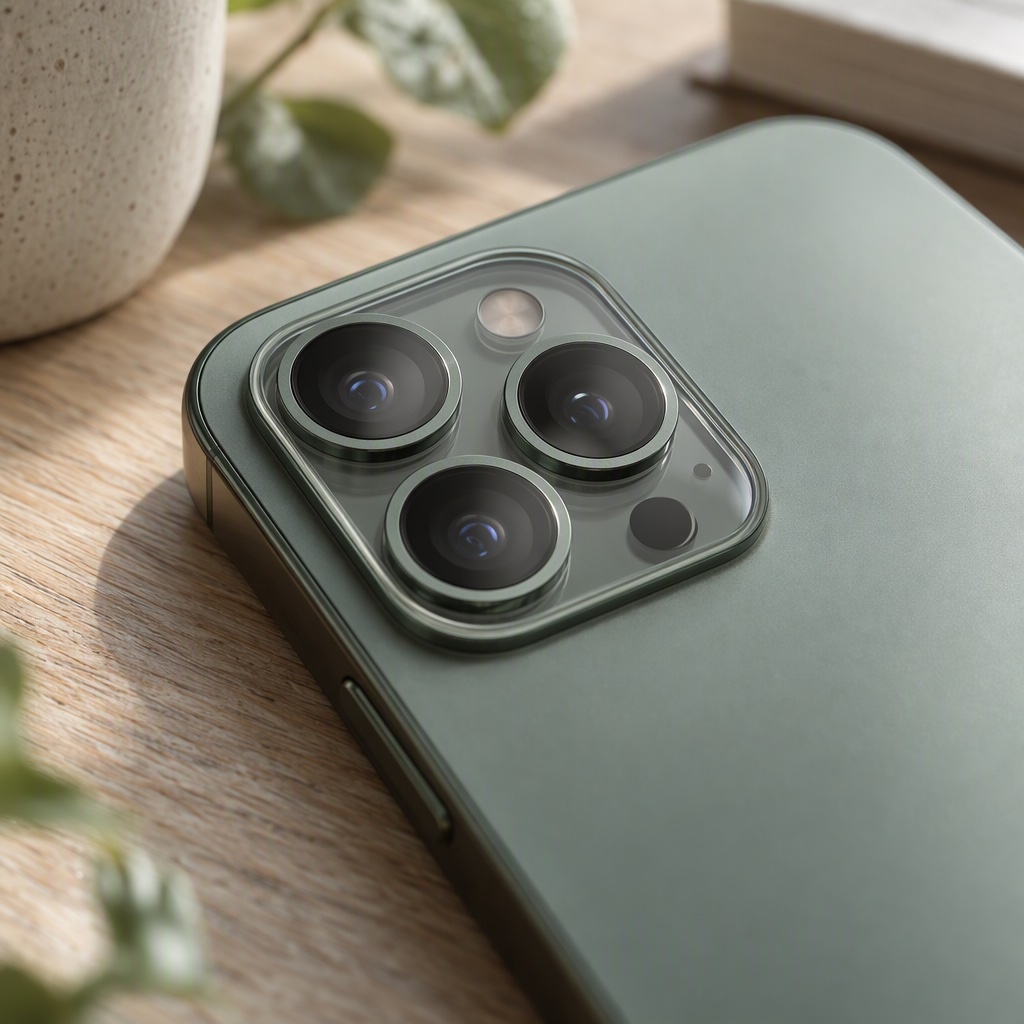
Macro photography is the art of shooting very small things very close up, and a phone can do it surprisingly well. Coins, insects, flowers, fabric weave, and jewelry all reveal detail you never noticed once the camera gets near. The catch is that close-up shooting magnifies every wobble and every flaw in your lighting, so technique matters more than it does for a normal photo. A clip-on close-up lens helps, but the steadiness and lighting habits below matter just as much, and they cost nothing to learn. Get those right and your phone becomes a genuine macro tool, capable of images that surprise people.
- Get close, but stop where the camera can still focus.
- Hold the phone steady with both hands, or use a stand.
- Light the subject from the side to reveal texture.
- Tap to focus, then adjust exposure before you shoot.
What is a macro photo, and why is it hard on a phone?
A macro photo is one taken close enough that the subject fills the frame at a large scale, showing detail the eye might miss. Phones are not built for this by default, because their lenses have a minimum focus distance, and once you get closer than that the image simply will not focus. Phones also have small sensors, so the closer you get, the shallower the depth of field becomes, and only a thin slice of the subject stays sharp. On top of that, any tiny hand movement is magnified into a large blur. So macro on a phone is a matter of working within its limits: get as close as it allows, keep everything steady, and control the light. Do those three things and the results can look far more professional than you would expect.
Screen & Lens Protection — camera lens. Designed for everyday carry and backed by our 30-day happiness guarantee.
How close can you get to a subject?
Every phone has a minimum focus distance, and going closer than that gives you a soft, blurry image no matter what you do. Find that limit by starting a few inches away and moving slowly closer while watching the screen; the moment the image softens, you have gone too far, so back off a little. Many phones have a dedicated close-up mode that lets you get nearer, and it usually switches on automatically when you approach something small. A clip-on close-up lens is the accessory that changes the game, because it lets you focus from much closer and enlarges the subject, turning small details into the whole picture. Without one, you are limited to what the phone can already do, which is still enough for many subjects. Start without a lens and see how close your phone can get before you spend anything.
How do you keep the phone steady for a macro shot?
Steadiness is everything in close-up work. Hold the phone with both hands and brace your elbows against your body, or rest the phone on a stable surface at the same height as the subject. A small tripod or stand makes the biggest difference, because it removes your hands entirely and lets you fine-tune the distance without shaking. If you are holding the phone, breathe slowly and take the shot between breaths. Press the shutter gently, or use a timer or voice control so the act of pressing does not jolt the phone. At this scale even a tiny movement blurs the image, so anything that removes a hand from the phone is worth using. A stand also lets you take your time setting up the shot, which usually improves the result.
What lighting works best for close-up photos?
Side lighting is the secret to good macro images, because it casts tiny shadows that reveal texture. Light coming straight on flattens the subject and hides the very detail you are trying to show. Move a lamp to the side, or position yourself so the sun comes in from the side rather than behind you, and you will see texture appear that was invisible before. Soft, diffused light is usually better than a harsh direct source, which can blow out highlights; a sheet of white paper held to one side bounces light in gently. Avoid using the phone’s flash for close-ups, because it is too harsh and often too close to the subject. If the light is dim, use a stand so you can take a longer exposure without blurring, since slow shutter speeds are unforgiving of hand movement.
Mounts & Stands — holder. Designed for everyday carry and backed by our 30-day happiness guarantee.
How do you focus and expose a macro shot?
Tap the screen where you want the sharpest point, then adjust the exposure slider that appears, usually by dragging it up or down to brighten or darken the shot. Because depth of field is so shallow, decide which part of the subject matters most and focus there; a coin’s engraving or an insect’s eye is a better target than the whole object. Lock the focus if your phone allows it, so it does not drift as you fine-tune the distance. Keep the subject parallel to the phone where you can, since a flat subject stays sharp across more of the frame. Take several shots at slightly different distances and pick the best one afterward, because the margin for error is small and one frame is usually noticeably sharper than the rest.
What background and composition choices help?
Macro shots look best with a clean, simple background that does not compete with the subject. A plain sheet of paper, a plain wall, or a dark cloth behind the subject removes distractions and makes the detail stand out. Watch for anything bright or busy behind the subject, because at close range it becomes a blur that pulls the eye away. Fill the frame with the subject rather than leaving a lot of empty space, since the whole point is to show detail that a normal photo would miss. Try shooting from a low angle so the subject sits against a plain backdrop, and move yourself rather than zooming, because zoom reduces quality and softens fine detail. For the broader picture, our guide to taking better photos with your phone covers the fundamentals, and protecting your camera lens keeps those close-ups crisp.
Frequently asked questions
- Do I need a clip-on lens for macro photos? Not always, but it helps a lot. Many phones focus fairly close already, and a clip-on close-up lens lets you get nearer and fill the frame with more detail.
- Why are my close-up photos blurry? Usually because the phone is closer than its minimum focus distance, or because of hand movement. Back off slightly and use a stand or brace your hands.
- Should I use the flash for macro shots? No, it is usually too harsh and too close, which flattens the subject. Use side lighting instead, and a stand if the light is dim.
- How do I get more of the subject in focus? Move the phone slightly further away, keep the subject parallel to the lens, and use good light so the camera can use a smaller aperture.
- Can I take macro photos of moving subjects? It is hard, because any movement blurs at close range. Wait for the subject to pause, or shoot several frames and choose the sharpest one.


