
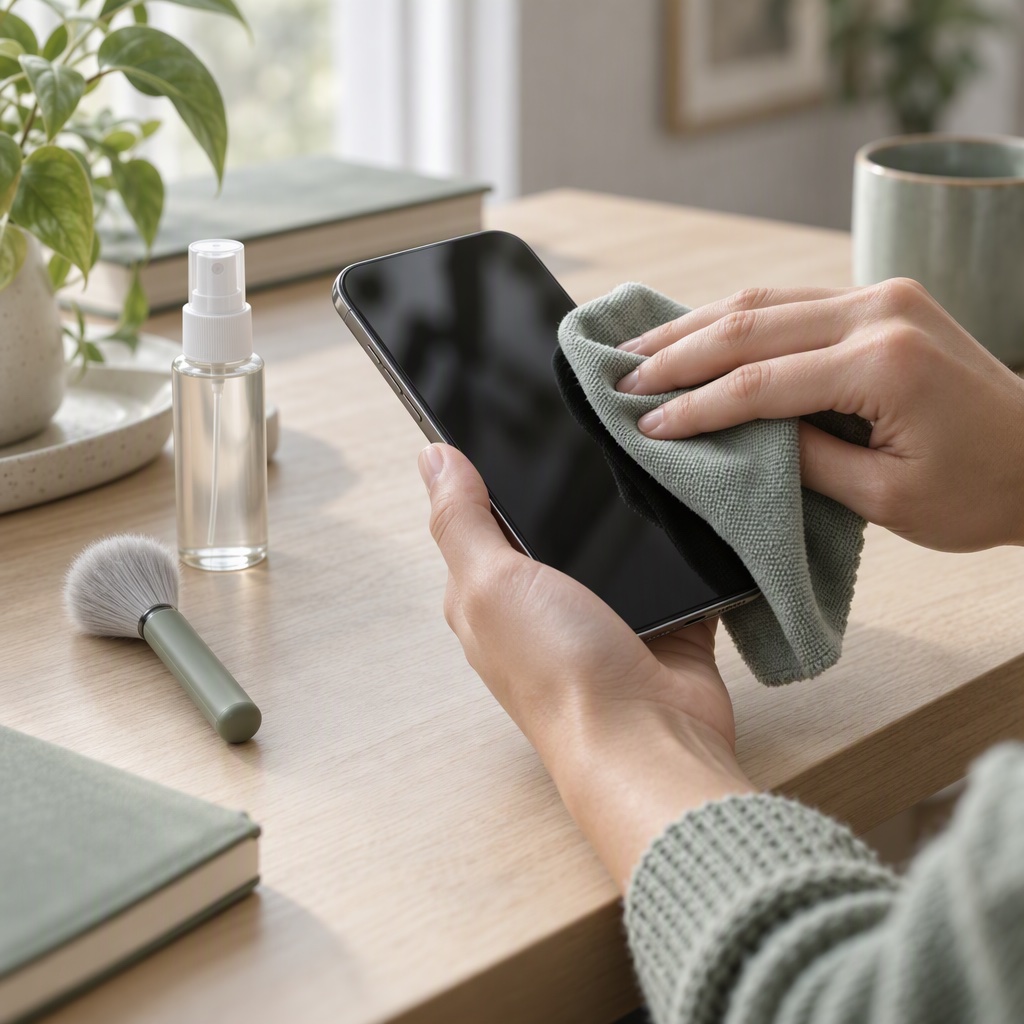
A spring phone clean is less about scrubbing and more about knowing where to look. Most people wipe the glass and call it done, but everyday grime builds up in the case seams, around the camera lens, in the speaker grilles and along the charging port. A short checklist turns a random wipe-down into a routine that takes about fifteen minutes and leaves the phone looking and feeling new again. It also protects the accessories you use every day, because dust and skin oils are what wear out cases, straps and stick-on grips first.
- Wipe the screen and back every few days; deep-clean the case, ports and lens every one to three months.
- Power the phone down and take the case off before you start.
- Use a soft, lint-free cloth and a cleaner meant for electronics.
- Keep moisture away from the ports, and never spray anything directly at the phone.
Where does dust and grime actually collect on a phone?
Start at the corners of the screen and the rim where the case lifts, because that seam traps pocket lint, crumbs and dust from the moment the phone leaves your hand. The camera lens ring is the other hiding place: a gritty ring around the glass dulls every photo you take, even in good light. Speaker grilles and microphone holes collect fine powder that quietly muffles calls, and the charging port slowly packs with lint until a cable will not seat properly. The back panel gathers fingerprints and hand lotion, which smear again the next time you set the phone down. Button edges and the pad around a magnetic charger are just as easy to miss. Once you know these five or six spots, cleaning becomes a repeatable routine rather than a guess at what you have forgotten.
What should you take off or shut down first?
Take the phone out of its case before you do anything else, because the case hides the edges where most of the mess lives, and grit trapped under a case scratches the phone every time you pick it up. Silicone and rubber cases can be rinsed in warm soapy water and dried completely before the phone goes back in. Leather and fabric cases should be wiped instead, since soaking changes their shape and can crack the surface over time. Power the phone down before you go anywhere near the charging port, and lift out any cards from a wallet-style case. Pull off stick-on grips, rings or strap fittings if you can, or clean around them carefully with a dry cloth. Have everything within reach before you begin: a cloth, a little cleaner, a dry toothbrush and a wooden or plastic pick for the port.
How do you clean the screen and the back of the phone?
Put the cleaner onto the cloth rather than onto the phone, and work in one direction across the glass so you lift oils instead of spreading them into a film. A dry pass afterwards removes streaks, and you only need a barely damp cloth, because moisture pooling at the edge of a screen protector is exactly what makes it lift later. The back panel takes the same treatment, although matte finishes show smears more than glossy ones and need a little more buffing. Camera lenses want the gentlest touch: a dry cloth, or a cloth with a small amount of lens cleaner, moved in slow circles. Dried fingerprints on the lens are the reason a perfectly capable camera keeps producing hazy, flat-looking photos. Our guide to cleaning a phone without damaging it goes deeper on the liquids to avoid.
How do you clean a phone case properly?
Silicone and rubber cases can be washed in warm soapy water, dried fully, and only then reunited with the phone. This is also the moment to check for discolouration from denim dye or hand cream, which shows up first on light-coloured cases. Clear cases yellow over time, and washing slows the process but cannot reverse it. Leather cases want a wipe with a barely damp cloth followed by a dry one, because soap strips the oils that keep the surface supple and can leave it dull. Knit, fabric and beaded covers should be brushed gently rather than soaked, and anything carrying a glued-on magnet, strap or card pocket stays dry. Look at the interior while the case is empty and flick out any grit with a dry brush, since sand under a case does more damage than dust on top of it.
What about the charging port, speaker grilles and buttons?
With the phone powered down, use a wooden or plastic pick to scoop lint out of the charging port rather than pushing it deeper, and keep metal away from the contacts entirely. A dry, soft toothbrush loosens dust from speaker and microphone grilles without forcing it into the housing, which is a real risk when you press too hard. Give buttons a careful wipe with a barely damp cotton swab, pressing each one a few times so grime works out from underneath. Avoid compressed air at close range, since a strong blast can drive debris into the device or damage a speaker diaphragm. Check the SIM tray if yours opens with a pin, and run the pick along the case seam to free anything wedged in. These small jobs take two minutes each but make the biggest daily difference to how the phone feels.
How often should you repeat all of this?
A quick wipe of the screen and back is a daily or every-few-days job, especially after cooking, commuting or a workout, when skin oils and food residue build up fastest. The deeper clean, with the case off, the ports cleared and the camera ring brushed, is worth doing every one to three months depending on how hard you treat the phone. If you carry a crossbody pouch or a lanyard, check the strap and its stitching at the same time, because fabric collects sweat and hand cream more readily than a case does. A calendar reminder for the change of season is the easiest way to make the habit stick without thinking about it. Keeping the phone and its accessories clean also means cleaning each phone case properly becomes part of the same short session instead of a separate chore later.
Frequently asked questions
- Can I use disinfectant wipes on my phone screen? You can use wipes meant for electronics, but avoid anything with bleach or a high alcohol content on coated glass. Squeeze excess liquid out of the wipe first, and never let liquid run into the ports or openings.
- Is a screen protector harder to clean than bare glass? Slightly, because the edges of the film lift and collect dust. Wipe in one direction, keep liquid away from the border, and if an edge is already lifting, our guide on stopping a protector lifting covers the fix.
- Can I wash a case with a magnetic ring or card pocket attached? Water and magnets do not mix well, and immersion can corrode the adhesive behind a stick-on ring. Wipe those cases by hand and keep moisture away from the fittings.
- How do I clean a beaded or fabric strap? Brush it gently with a dry, soft brush and wipe any metal clasps with a barely damp cloth. Soaking fabric straps weakens the stitching and can bleed dye onto your clothes.
- Does cleaning my phone improve how it performs? It will not change the software, but a clear lens, an unblocked speaker and a clean charging port all make the phone behave closer to how it did when new.


