
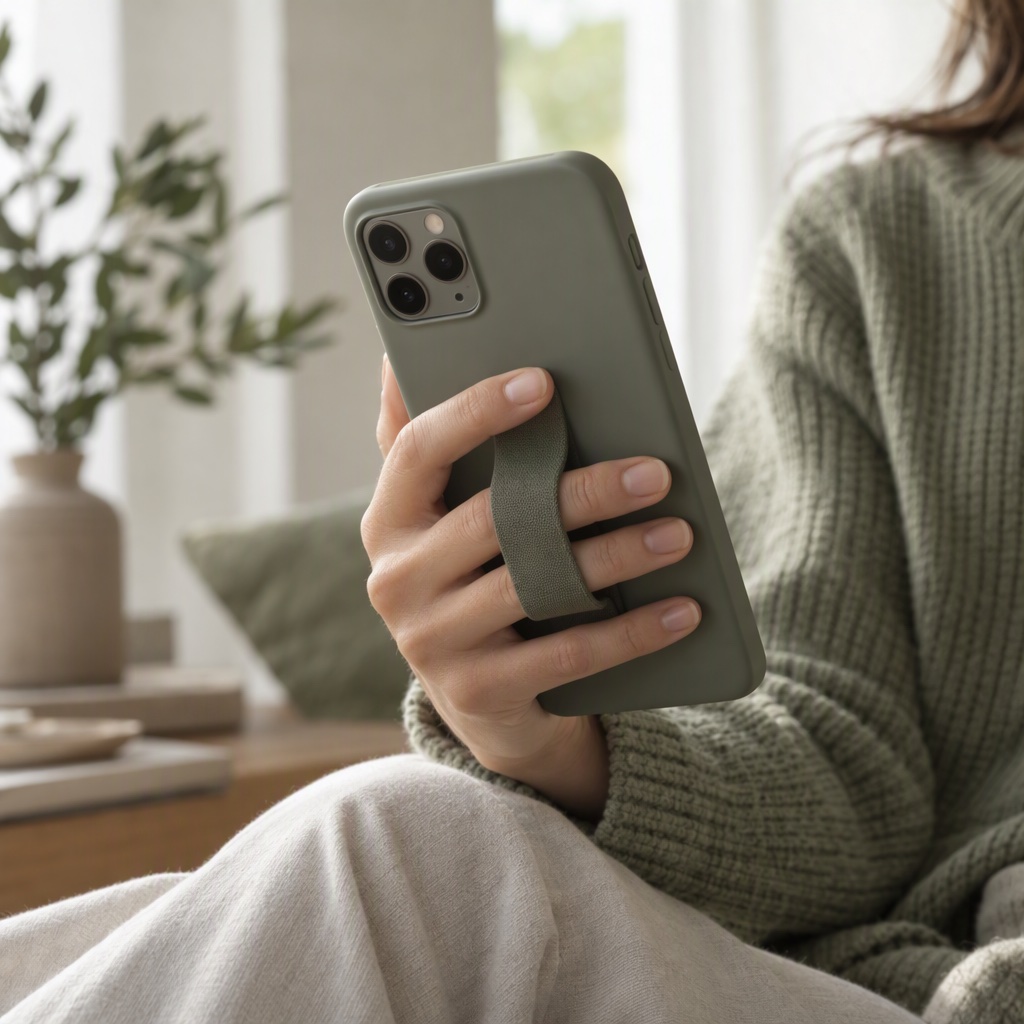
Reading on a phone strains your hands and neck for two simple reasons: you hold the same grip for a long stretch, and you look down at a screen that is lying flat in front of you. Most of the fix is postural — prop the phone up, change your grip often, and take breaks — and the accessories that genuinely help are the ones that do the holding for you. The goal is not to read less; it is to set the phone up so your body is not paying for it.
- Prop the phone at an angle so your neck is not bent toward your lap.
- Change your grip every few minutes instead of holding one position.
- Support your arms with pillows or a stand so they do not tire.
- Take short breaks and stretch your hands and fingers.
Why does reading tire my hands so fast?
A phone is heavier than it feels when you hold it still for twenty minutes, and reading is exactly that: one static grip, one position, no reason to put it down. The pinch between thumb and forefinger does most of the work, and small hands feel it sooner because the reach across the screen is wider. Your neck gets the other half of the problem, because a phone lying flat angles your head forward and down for the whole chapter, and the screen angle is the easier half of the problem to fix. A quick way to test this is to read with the phone flat on the duvet for ten minutes, then again propped on a stand, and compare how your neck feels afterwards. The fix starts with noticing the two habits: shift your grip whenever you notice it, and get the screen off the flat surface before the chapter starts.
Grips & Ring Holders in Green. Designed for everyday carry and backed by our 30-day happiness guarantee.
What position is easiest on my neck?
Bring the screen toward your eye level instead of taking your eyes down to the screen. Propped against cushions or a stand at roughly a forty-five degree angle, your head sits over your spine rather than jutting forward, and your arms can rest instead of holding. If you read in bed, lie on your side with the phone propped on the pillow in front of you rather than hovering it above your face, which removes both the arm work and the drop risk. Sitting up in a chair with the phone on a stand at chest height is the kindest option of all, and it is also the easiest to fall asleep in if you are not careful.
Should I use a stand instead of holding it?
Yes, whenever the setting allows it, because a stand removes the exact thing that is tiring your hands. A small folding stand on a desk or table turns reading into a seated activity with your arms free, and a sturdier stand with an adjustable angle is better for long sessions because you can change the screen height as you shift position. At home, the stand also keeps the phone off the duvet, which solves the neck angle problem at the same time. When you are out, a ring grip or finger holder is the portable version of the same idea. Our guide to phone stands for your desk walks through what to look for if you are choosing one.
Does a larger image actually help?
For some readers, yes, because a bigger image lets you hold the phone further away and read with less squinting and less tilt. A screen magnifier does this by enlarging the display through a lens or a reflective panel, and people who read a lot on a phone often find it more comfortable than cranking the text size, which forces more scrolling. The trade-offs are real, though: a magnifier adds bulk, can catch glare, and is awkward to use in bed unless it sits on its own stand. If your main complaint is small text rather than a sore hand, try increasing the text size in your phone’s settings first — it is free, instant, and reversible.
How often should I take a break?
Short and frequent beats long and rare. The signals to watch for are the ones your body sends before anything hurts: shifting your grip, rolling your shoulders, moving the phone from one hand to the other, or your eyes losing focus on the page. When you notice any of those, put the phone down for a minute, stretch your fingers wide, and let your neck return to neutral. Reading in shorter sessions with real breaks keeps your hands fresher than pushing through and resting later, because the tiring part is the static hold, not the reading itself.
What if my hands still hurt?
Change the delivery, not the willpower. A stand plus a larger screen — a tablet or a laptop — moves the same content onto a device your hands barely touch, which solves the problem for long reading sessions. If holding even a light device is uncomfortable, our guide to phone grip options for arthritis covers straps and holders designed for limited hand strength. One more honest note: if discomfort persists after you change your setup, that is worth a conversation with a healthcare professional rather than another accessory, because no case or stand fixes an underlying problem.
Frequently asked questions
- Is night mode better for reading? A warmer, dimmer screen is usually more comfortable in a dark room, especially compared to a bright screen in a dark one. Pair it with a low level of ambient light rather than reading in complete darkness, which makes your eyes work harder overall. If your phone can schedule the warm tone for evenings, set it once and forget it.
- Are reading glasses better than accessories? They solve a different problem. If you squint, adjust the text size first because it is free and instant; accessories solve the holding and the neck angle, which is where most of the strain actually comes from. Reading glasses beat any stand for squinting, but you may well need both.
- Can I read comfortably on public transit? Standing one-handed on a moving bus is the worst combination for your hands and neck. Sit down and prop the phone against a bag or your knee, or use a strap or ring grip so the phone is not hanging from your fingers. On a train, a window seat with a bag on your lap makes a perfectly usable stand.
- Do e-readers beat phones for this? Different devices, same advice: posture and breaks matter more than the screen. E-readers are lighter and easier to hold for hours, which is exactly why long-form reading feels easier on them. Neither is a good idea for an hour straight without a break, though.
- How long is too long in one session? There is no magic number. When your hand starts shifting or your neck stiffens, that is the signal — those sensations arrive well before anything hurts, and answering them early is the whole trick. Every ten or fifteen minutes is a reasonable rhythm for a long session.


