
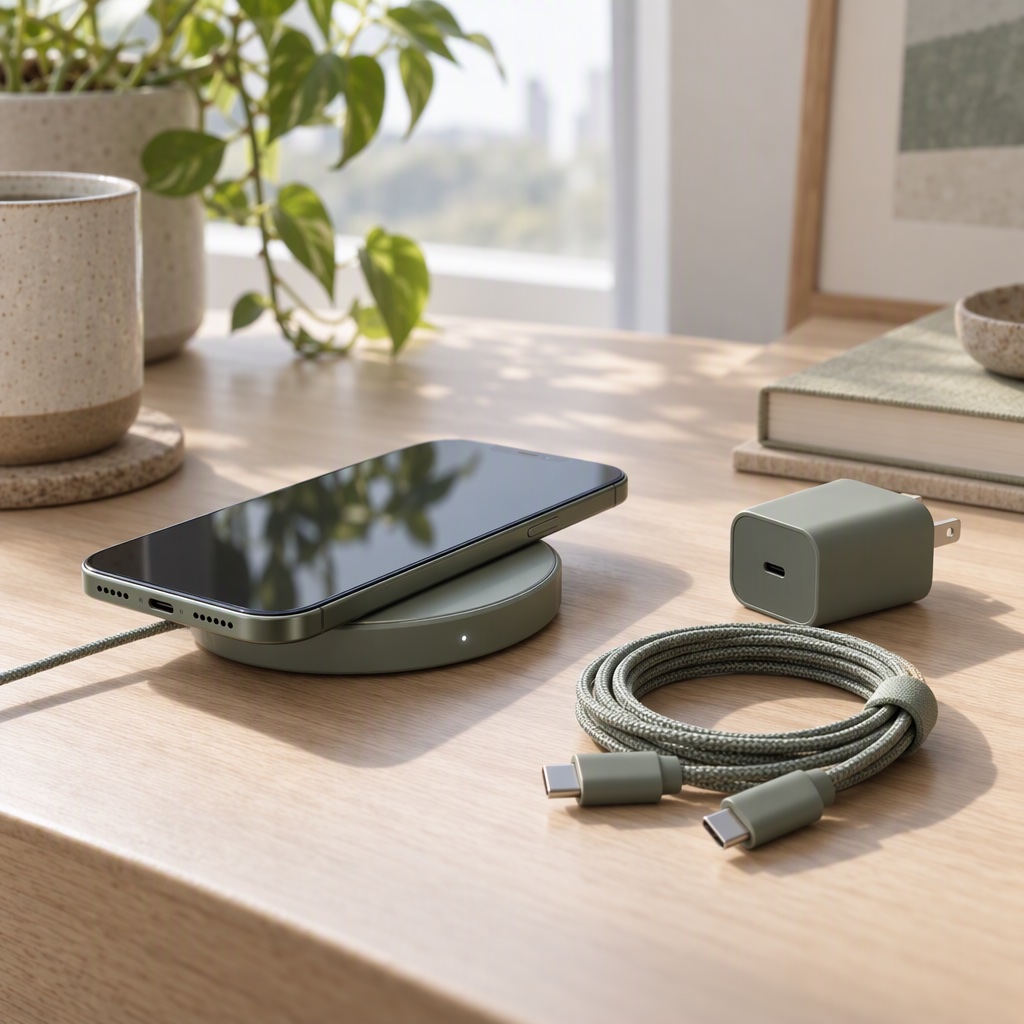
Charging a phone in a humid room is safe under one condition: the phone and the charging port are dry. Humidity on its own does not damage a phone, which is why most people get away with charging on a bathroom counter for years. The problem starts when warm, damp air condenses on the small metal contacts inside the charging port, because passing current through wet contacts is what corrodes them. A steamy bathroom, a kitchen beside a boiling pot, and a laundry room are the three places where that happens most. With a few simple habits, you can charge in any of them without shortening the life of the port.
- Charging in a humid room is fine as long as the phone, the port, and the cable are all dry.
- The charging port is the vulnerable part — it is where an opening meets live electricity, and it is hard to dry.
- Keep the phone out of the steam zone, off wet countertops, and away from sinks and stoves.
- A moisture warning, a warm port, or a cable that needs wiggling means stop charging and let it dry.
Is it safe to charge a phone in a humid room?
Charging in a humid room is generally fine, with one condition: the phone and the charging port need to be dry. Humidity itself does not damage a phone. What causes trouble is moisture that has condensed on the metal contacts inside the port, because passing current through damp contacts is what corrodes them. A bathroom after a hot shower, a kitchen while a pot is boiling, and a laundry room are the classic examples — the air is warm and wet, and a phone left on the counter picks up a film of condensation without ever being splashed. In practice, charging in those rooms is safe if the phone is dry, the cable is dry, and the phone is not sitting directly in the steamy zone.
MagSafe & Charging — charger. Designed for everyday carry and backed by our 30-day happiness guarantee.
Why is the charging port the vulnerable part?
The charging port is the only place on a phone where an opening meets live electricity, which makes it the point of highest risk. The contacts inside are small and made of metal that corrodes readily when wet and energized. Condensation is enough — you do not need a spill, just a fine layer of moisture on the pins. That is why phones often refuse to charge or display a moisture warning even when they look completely dry. The port is also hard to dry, because it is a deep, narrow recess where air does not circulate well. And it is where every charging cable goes, so anything left in there gets pressed deeper. If you protect one part of a phone from humidity, protect this one.
What changes when you use wireless charging?
Wireless charging removes the cable from the equation, which reduces one risk but introduces another. On the plus side, no open port is involved, so damp air cannot push moisture into a connector along a cable. On the other hand, wireless charging generates more heat for the same amount of power, and heat plus humidity keeps a phone warm and slightly clammy for longer than it would otherwise be. A wireless charger also needs a flat surface, and in a humid room a countertop can hold a thin film of water. Wipe the pad and the back of the phone before you set it down, and choose a charger that manages heat sensibly rather than one that pushes maximum power regardless of conditions.
How should you set up charging in a bathroom or kitchen?
Keep the charger out of the steam zone. On a bathroom counter, that means the far end of the counter rather than beside the sink, and definitely not on a shelf above a running shower. In a kitchen, keep the phone away from the stove, the kettle, and the sink — the area around a boiling pot is both hot and wet, which is the worst combination for a battery. Stand the phone up so air can move around it rather than laying it flat on a damp surface. If the room has an extractor fan, run it while you charge. Keep the cable off the counter too, because a cord lying in a puddle is how moisture reaches the port in the first place.
MagSafe & Charging — charger. Designed for everyday carry and backed by our 30-day happiness guarantee.
What are the warning signs that moisture is a problem?
Phones are good at telling you when something is wrong, and it is worth taking the message seriously. A moisture warning or a refusal to charge is the clearest signal — it means the phone has detected water in the port and is protecting itself. Other signs are subtler: a cable that needs to be wiggled to make contact, a port that feels warm soon after you plug in, or a charging speed that has dropped noticeably. Repeated corrosion also leaves visible marks, usually a greenish or dark film on the contacts, which you can sometimes see with a light. If you notice any of these, stop charging, dry the phone with the ports facing down, and give it hours rather than minutes.
How do you keep the charging area dry over time?
Small habits do most of the work. Wipe the phone and the cable down when you come in from the rain or step out of the shower, and keep a cloth near the charger so it is easy to do. Leave the charging port facing down when the phone is resting, so anything that does get in can drain rather than pool. Avoid charging a phone straight out of a cold bag in a warm, humid room, because condensation forms on cold metal almost immediately — let the phone reach room temperature first. Keep the charger off wet surfaces and out of splash range. If a room is damp enough that towels never dry, that is a sign to charge somewhere else. A cheap hygrometer is not necessary, but if the mirror fogs the moment you step out of the shower, that is a room worth charging in only with the fan running. For the wider topic, read charging speed: what actually changes it and wired vs wireless charging: which is better.
Frequently asked questions
- Can humidity damage a phone that is not charging? Rarely on its own. The risk concentrates at the port and the connectors, and it rises sharply once current is applied.
- Should I use a wireless charger in a bathroom? It avoids the open port, which helps, but wipe the pad first and keep it away from the steam zone since wireless charging runs warmer.
- How do I know the port is dry? If there is no moisture warning, no warmth, and the cable seats and charges normally, it is dry enough. When in doubt, wait another hour.
- Is a fast charger riskier in a humid room? It runs warmer than a slow one, and warmth plus moisture is the combination to avoid. Any well-made charger is fine if the phone is dry.
- What if my phone will not charge at all? Stop trying. Dry it with the ports facing down for several hours, try another cable, and if it still refuses, the port may need a professional clean.


