

A snowy commute adds three problems at once: wet snow that melts into every gap, cold that eats battery, and slippery ground where holding a phone is a bad idea. The setup that works is a full-cover case, a way to keep the phone dry and warm, and a strap or pouch so your hands stay free for balance. Everything below is about getting the phone through the walk without turning it into a hazard.
- Use a full-cover case with covered ports; melted snow finds every gap.
- Keep the phone in an inner pocket to protect warmth and dryness at the same time.
- A lanyard or strap keeps your hands free on icy ground.
- Dry the phone and case before charging; moisture plus a charger is a bad mix.
What does snow actually do to a phone?
Snow is water with a delay. It lands on the case, melts from your body heat and the warmth of the phone, and then finds the openings: the charging port, the speaker grilles, the seams around buttons. Melted snow also leaves behind a residue that dries crusty around port covers, and road salt adds a corrosive, abrasive element on top. The damage is rarely a dramatic dunk. It is the slow drip into a port over weeks of commutes, or corrosion on contacts, or a button that stops clicking because grit has packed into it. Winter is a grinding problem, not a sudden one, which is why the fixes are mostly about keeping the openings covered. The good news is that almost all of it is preventable with habits rather than gadgets. Cold makes batteries report a lower charge than they actually have, so a reading that drops sharply in the cold usually recovers indoors.

iPhone Cases — case. Designed for everyday carry and backed by our 30-day happiness guarantee.
Which case is best for snow?
A full-cover case with port covers, ideally one that closes completely over the charging port and buttons. Clamshell designs that wrap the whole phone, including the screen edge, are the strongest option, because they present one continuous surface instead of a seam for water to work into. The trade-offs are real: a full-cover case is bulkier, makes the screen slightly harder to reach in a hurry, and needs to be opened before charging, so plan for that at your desk. Weather-resistant beats waterproof for most commutes, because waterproof usually means bulk and reduced touchscreen response — our comparison of waterproof and water-resistant cases explains the difference. Keep the phone in an inside pocket rather than an outer one, and take it out only when you actually need to look at it.
How do I keep my hands free while walking on ice?
A strap or lanyard is the most useful winter accessory nobody buys. On icy ground your hands are for balance, and a phone in your fist both distracts you and makes any fall worse. A crossbody strap or a pouch worn inside your coat keeps the phone close and warm while your hands stay free and empty. If you do need to check directions mid-walk, stop somewhere safe first — a phone in use is a phone at risk, on ice more than anywhere. If you are walking with a bag, the phone belongs in an inner pocket rather than an outer one, for the warmth reason as much as the security one. A case with a raised lip keeps the screen off wet snow, which matters more than thickness when the ground is slushy.
Should I charge it during the commute?
Charging during the walk is usually the wrong move, because a cable or power bank in the snow adds fiddling and cold exposure to an already awkward situation. The better plan is to charge before you leave and top up at your desk when you arrive, with the phone fully dry first. If you do need a top-up mid-journey, keep the power bank in an inner pocket too — cold affects banks exactly as it affects phone batteries — and never plug a damp connector into anything. The routine that works: bank in the warm pocket, cable nowhere near the snow, charge at both ends of the commute rather than during it. Watch for condensation when you get indoors, because a wet phone warming up quickly is how moisture gets past the seals.
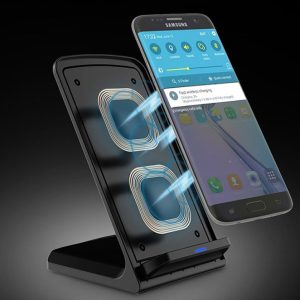
MagSafe & Charging — charger. Designed for everyday carry and backed by our 30-day happiness guarantee.
How do I dry everything out afterwards?
Work quickly and gently. Pat the case and phone dry with a towel, remove the case, and let both dry separately so no moisture is trapped between them. Check the port covers are open and let any water in the ports evaporate before you charge — a few minutes of air is usually enough, and pointing ports down helps. Avoid hot air from a hair dryer, because heat and phones are a bad combination regardless of the season. If snow or salt has worked its way into a seam, a soft, dry brush around the edges clears it. Our guide to keeping your phone dry in the rain covers the wet-weather version of the same routine. A strap or lanyard reduces the handling, and it stops the phone disappearing into a snowdrift if you do drop it.
What about gloves and touchscreens?
They fight each other, every winter, every year. A normal glove insulates your finger, which is exactly what blocks the electrical signal a touchscreen needs, so you end up pulling a glove off with your teeth in the cold. Conductive-fingertip gloves solve it for most phones and cases, but the combination is worth testing before you rely on it mid-commute — some screen protectors and thick fingertips work better than others. The other answer is to stop needing the screen: set your route and playlist before you leave, use voice controls, and keep phone tasks to the moments when you are standing still somewhere warm.
Frequently asked questions
- Is road salt dangerous for a phone? Salt residue is both corrosive and abrasive, so wipe the phone and case down after any salted walk. Pay attention to the seams and the area around the port covers, where the residue collects and then dries hard, and check the covers are still closing properly.
- Can I use my phone in falling snow? Briefly, yes — a quick photo or a direction check is usually fine with a full-cover case. Long exposure to wet snow is the problem, so put it away quickly and dry the case before it goes back into a warm pocket with the phone in it.
- What if my phone gets wet anyway? Dry it, remove the case, and leave the phone off with the ports pointing down so moisture can escape. If it does not behave normally after drying, have it checked before you charge it again, because charging a wet phone risks worse damage.
- Does cold affect the screen? Screens can become less responsive in extreme cold, mostly because the layers stiffen. Keeping the phone warm in an inner pocket prevents almost all of it, and a case adds a small amount of insulation on top. A cold screen is also less predictable under a gloved finger.
- Are touchscreen gloves enough for a snowy commute? Conductive fingertips work on most phone and protector combinations, but test the pair before you depend on it. Even with gloves, the safest habit is the same: set everything up before you step outside, and test the combination at home rather than on a windy corner.


