

Riding a motorbike punishes phone gear: vibration, rain, and speed all work against anything mounted on the handlebars. What matters most is a mount that grips firmly without pressing on the screen, a case that shrugs off weather, and a strict rule that the phone is set up before you ride. Navigation and music are the jobs; everything else waits until you stop.
- A cradle or claw mount holds better at speed than a flat magnetic pad.
- Weather-resistant cases and covered ports keep rain out.
- Set navigation before you set off; never adjust a mounted phone while moving.
- Vibration is hard on phone parts, so take the phone off when you park for long periods.
What mount actually works on a motorbike?
A mechanical cradle, almost always. A cradle grips the phone on its edges with padded claws, so the phone is held by its case rather than by friction against the back, and it stays put over potholes and washboard surfaces. A flat magnetic pad is convenient but riskier on a bike, because acceleration and bumps work against the magnet, and a magnetic mount also needs something metal to grab or a compatible case. Match the mount to your bar diameter and check that it does not block any controls, cables, or your view of the instruments. A mount that needs tools you do not own is a mount you will not fit properly. Our guide to car mounts — vent, dash, or magnetic explains the same trade-offs for cars. Vibration is the real problem on a motorbike, so a mount with a locking cage rather than a simple clamp survives far longer.
How do I keep rain out?
Start with the case. A weather-resistant case with covered ports handles steady rain fine, and a waterproof pouch worn over the phone is the belt-and-braces option for a downpour. Check the case’s port covers are actually closed, because rain finds the one opening you forgot, and avoid charging in the wet if you can, since a wet connector and electricity are a bad combination. Snow is harder than rain because it melts and then pools, which is why full-cover cases do better in winter. After any wet ride, dry the case and the phone before they sit in a warm room together, or condensation will do the damage the rain did not. Look for a mount with a sealed joint at the clamp point, because water getting in there is what eventually makes the arm slip.
Should I charge it while riding?
You can, but think about what happens to the phone. Charging generates heat, and on a bike the wind that cools a car-mounted phone is working against a phone that is also being shaken and, in summer, sitting in the sun. The practical answer is short top-ups only: enough to get you through a long ride, not a full charge from nearly empty. Keep the cable routed clear of the bars and controls, and use a mount that does not trap the cable against the phone’s back, because pressure plus heat is what damages both cables and connectors over a season. A wired charger is more reliable than a wireless one on a bike, since the vibration can break the contact on a flat pad.
What about charging from the bike’s electrics?
It works, and plenty of riders do it, but it needs care. Use a charger designed for the job, with the right connector and a fuse, rather than improvised wiring, and route the cable so it cannot chafe against the frame or foul the steering. Check that the socket is protected from water, because a 12V socket on a bike lives in the weather. If that sounds like more than you want to take on, a power bank in your jacket is the simpler answer — it needs no wiring at all. Whatever you choose, the phone should be easy to remove so you can take it with you when you leave the bike. Position the holder so you never need to look down for more than a moment, and stop properly if you need to change anything.
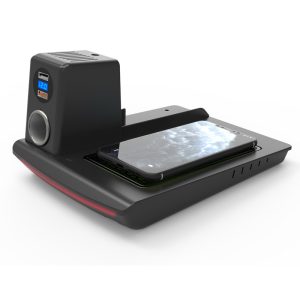
MagSafe & Charging — charger. Designed for everyday carry and backed by our 30-day happiness guarantee.
How do gloves and touchscreens work together?
Poorly, unless you plan for it. Most touchscreens need skin or a special conductive tip to register a touch, so ordinary gloves leave you unable to answer a call or skip a track without taking a glove off, which on a bike is both cold and dangerous. The answer is to set everything up before you ride — route, playlist, volume — and use voice control or handlebar controls for the rest. If you need to interact with the screen mid-ride, conductive-fingertip gloves or a stylus designed for gloves can help, but neither replaces stopping when something genuinely needs attention. A rain cover over the phone is a small addition that keeps the screen readable and the port dry at the same time.
What is the safest way to use navigation on a bike?
Set it up before you set off, and design the setup for glances, not reading. Mount the phone in your line of sight rather than down on the tank, use the audio voice directions as the primary channel, and pick routes you know well enough that the screen is a confirmation rather than a map you follow turn by turn. Plan fuel and rest stops in advance so you are not navigating with cold hands in traffic. And when something genuinely needs adjusting — a new route, a reroute, a changed plan — pull over somewhere safe first. A mounted phone is a tool for avoiding getting lost, not a tool for getting there faster. For more on keeping a phone usable while you ride, see our guide to car and handlebar phone mounts.
Frequently asked questions
- Is it legal to use a phone mount on a motorbike? Rules on mounting and using phones vary by country and change over time, so check your local laws before fitting anything. What is legal everywhere is setting the phone up before you ride and leaving it alone while moving. Fit the mount before the first ride, not after.
- Can vibration really damage a phone? Long exposure to handlebar vibration is hard on camera and speaker components, which is why many riders remove the phone at long stops. A cradle with padded edges reduces the shake, and a rubber-lined mount helps more than you would expect. A padded cradle is the cheapest protection available.
- Will a magnetic mount hold over bumps? Smaller magnets struggle on rough surfaces, and a phone lost at speed is both expensive and dangerous for anyone behind you. A mechanical cradle is the safer choice for anything more than smooth commuting, and a cradle with rubber-lined claws costs little more.
- Do I need a fully waterproof case for the bike? Weather-resistant with covered ports is usually enough, and it keeps the screen easier to read in glare. Fully waterproof cases add bulk, can trap heat, and often make touchscreens less responsive, which matters when you are wearing gloves. Screen readability wins on a bright day.
- How do I take photos while riding? You should not. A phone on the bars is for navigation and music; for photos, mount a proper action camera or wait until you stop. Taking a hand off the bars for a photo is not worth any picture.


