
A phone makes an excellent sat-nav. The maps are updated constantly, the routing is good, and it costs nothing beyond the phone you already carry. The catch is that a phone is not built into the car, so it has no fixed home and no built-in power. Used carelessly, it becomes a distraction balanced on a seat or held at arm’s length. Used well, it sits in a mount at the edge of your vision, speaks its directions aloud, and stays charged for the whole journey. The difference between those two outcomes comes down to a handful of simple habits, and none of them take long to learn.
- Fit the mount and set the route before you drive, never after.
- Position the phone low and close so checking it is a quick glance.
- Turn on voice guidance so you can keep your eyes on the road.
- Keep it powered, because navigation and a bright screen drain the battery fast.
Why does the mount matter so much?
A loose phone is the whole problem. If it slides off the passenger seat or you have to pick it up to read it, your eyes and one hand leave the road, and that is exactly when mistakes happen. A mount holds the phone in one predictable spot, so you learn where to glance and how long that glance takes. It also stops the phone from flying across the cabin if you have to brake hard. The mount does not have to be expensive; it has to be secure and placed so that reading the next turn takes no more than a moment. A cup-holder mount or a magnetic bracket both do the job well, provided the phone cannot wobble or tip while you are moving. Anything that lets the screen bounce will keep pulling your attention back to it.
Where should the phone sit?
Position matters as much as security. The best place is low and close to your line of sight, ideally near the top of the dashboard or the lower edge of the windscreen, so a glance down is brief and natural. Holding the phone high in the middle of the glass blocks your view of the road and can be illegal in some places, so check your local rules before you settle on a spot. Keeping it close also means you can read the screen at a lower brightness, which saves battery and reduces glare. Avoid propping it on the passenger seat or in a door pocket, where it can slide, overheat in the sun, or end up out of reach when you need it. If you share the car, choose a mount you can move between vehicles without fuss, and take a moment to check the position from the driver’s seat rather than from outside the car.
How do you set up the route before you leave?
Set the destination before you move, while you are still parked. It is far safer to spend two minutes tapping in an address at the curb than to try to do it at the first traffic light. Check the route overview so you know roughly where you are going, and look at any tolls, ferries, or closed roads the app flags. Save your common destinations, such as home and work, so you can call them up in a second. If a passenger can enter the address for you, even better. Once you are moving, resist the urge to fiddle with settings or search for somewhere new; pull over safely if the route genuinely needs to change. If you are heading somewhere with patchy signal, download the map first, as covered in offline maps.
Is voice guidance better than looking at the screen?
Voice guidance is the single most useful feature for safe navigation, because it lets you keep your eyes on the road and still know what is coming. Turn the volume up enough to hear over traffic, and pick a voice you find easy to follow. The screen then becomes a backup rather than something you study. Many apps also show the next turn as a small banner, so a quick glance is enough when you want confirmation. If you wear headphones, keep one ear free, or use the car speakers instead, so you can still hear horns and sirens. Spoken directions do not replace your own judgment, though; if the app says turn but the road is closed or unsafe, trust what you can see out of the window.
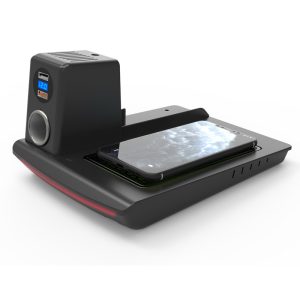
MagSafe & Charging — charger. Designed for everyday carry and backed by our 30-day happiness guarantee.
How do you stop the phone overheating and losing charge?
Navigation is heavy work for a phone. The screen stays on, the GPS runs constantly, and in summer the cabin gets hot, so the battery drains quickly and the phone may slow down or dim itself to protect the components. Keep the phone plugged in so the charge holds steady, and use a mount that does not trap heat against the back of the phone. A ventilated spot or a little airflow from the air conditioning helps a great deal on a hot day. If the phone still gets warm, lower the screen brightness and close background apps you are not using. A wireless charging mount is convenient because you simply drop the phone in, but a cable is often faster and cooler. Start every long trip with a full battery, and if you are relying on the phone for hours of guidance, carry a power bank as a backup so a flat battery never leaves you guessing at a junction.
What are the most common mistakes?
The most common mistakes are all variations on the same theme: doing things while driving. Tapping in a new address, answering a message, or picking the phone up to read it all take your attention off the road for longer than you think. Other frequent errors are mounting the phone too high so it blocks the view, leaving it loose on a seat, and letting the battery run flat so the phone dies mid-journey. A few people also trust the app too completely and miss a closed road or a turn that the map has not caught up with. Set up before you leave, mount it low and secure, keep it charged, and let the voice do the talking. For the mount styles themselves, see phone car mounts.
Frequently asked questions
- Do I need a special mount to use my phone as a sat-nav? No, but any secure mount beats holding it or resting it on a seat. A cup-holder mount or a magnetic bracket both work well.
- Is it safe to use a phone for navigation? Yes, if you set the route before you leave, mount it low and close, and rely on voice guidance so you rarely look down.
- Why does my phone get so hot when navigating? The screen, the GPS, and charging all generate heat. Keep the phone out of direct sun and lower the screen brightness.
- Can I navigate without a data connection? Yes, if you download offline maps before you travel. The GPS itself keeps working without a signal.
- How long does delivery take? Standard tracked delivery takes ten to twenty business days, orders over thirty-five dollars ship free, and there is a thirty-day returns window.


